Discover the brilliant path to a smooth VMware Zorin OS setup in 2026. This step‑by‑step installation guide ensures a seamless experience, empowering users with confidence and clarity.
Table of Contents
Overview of Zorin OS in 2026
VMware Zorin OS installation in 2026 continues to shine as a user‑friendly and innovative Linux distribution, designed to bridge the gap between traditional operating systems and the open‑source world. With its sleek interface and intuitive design, Zorin OS offers a smooth transition for users coming from Windows or macOS, making it one of the most accessible Linux options available today.
The 2026 release emphasizes performance, security, and customization, ensuring that both beginners and advanced users can enjoy a seamless computing experience. VMware Zorin OS installation integrates modern desktop environments with optimized resource management, allowing it to run efficiently on both new hardware and older machines. This versatility makes it a powerful choice for individuals, businesses, and educational institutions alike.
Another highlight of VMware Zorin OS installation is its focus on innovation and productivity. Enhanced compatibility with popular applications, improved support for gaming, and robust integration with cloud services make it a future‑ready operating system. The distribution also continues to prioritize privacy and security, giving users confidence in their digital environment.
In short, VMware Zorin OS installation, represents a brilliant path toward a smooth, reliable, and customizable Linux experience, empowering users to embrace open‑source technology without sacrificing ease of use or modern functionality.
Key Advantages of Zorin OS in 2026
Zorin OS in 2026 stands out as one of the most polished and user‑friendly Linux distributions, offering a blend of simplicity, performance, and innovation. Here are the major advantages that make it a compelling choice:
- User‑Friendly Experience – VMware Zorin OS installation continues to provide a familiar interface for users migrating from Windows or macOS, ensuring a smooth transition without steep learning curves.
- Performance Optimization – The 2026 release is fine‑tuned for speed and efficiency, running seamlessly on both modern hardware and older systems, making it versatile for diverse users.
- Enhanced Security – With robust built‑in security features and regular updates, Zorin OS offers a safe environment for personal, educational, and business use.
- Customization Options – Users can personalize their desktop with multiple layouts, themes, and productivity‑focused tweaks, creating a tailored computing experience.
- Gaming and App Compatibility – Improved support for gaming platforms, Windows applications, and popular productivity tools makes future‑ready operating system in VMware Zorin OS installation.
- Cloud Integration – Seamless connectivity with cloud services enhances collaboration, storage, and workflow efficiency.
- Accessibility Features – Advanced accessibility tools empower users with diverse needs, ensuring inclusivity and usability for everyone.
In essence, VMware Zorin OS installation delivers a brilliant path to a smooth, secure, and customizable Linux experience, combining the best of open‑source flexibility with modern usability.
VMware Zorin OS Step by Step Installation Guide in Workstation
A step-by-step installation guide for VMware Zorin OS installation process:
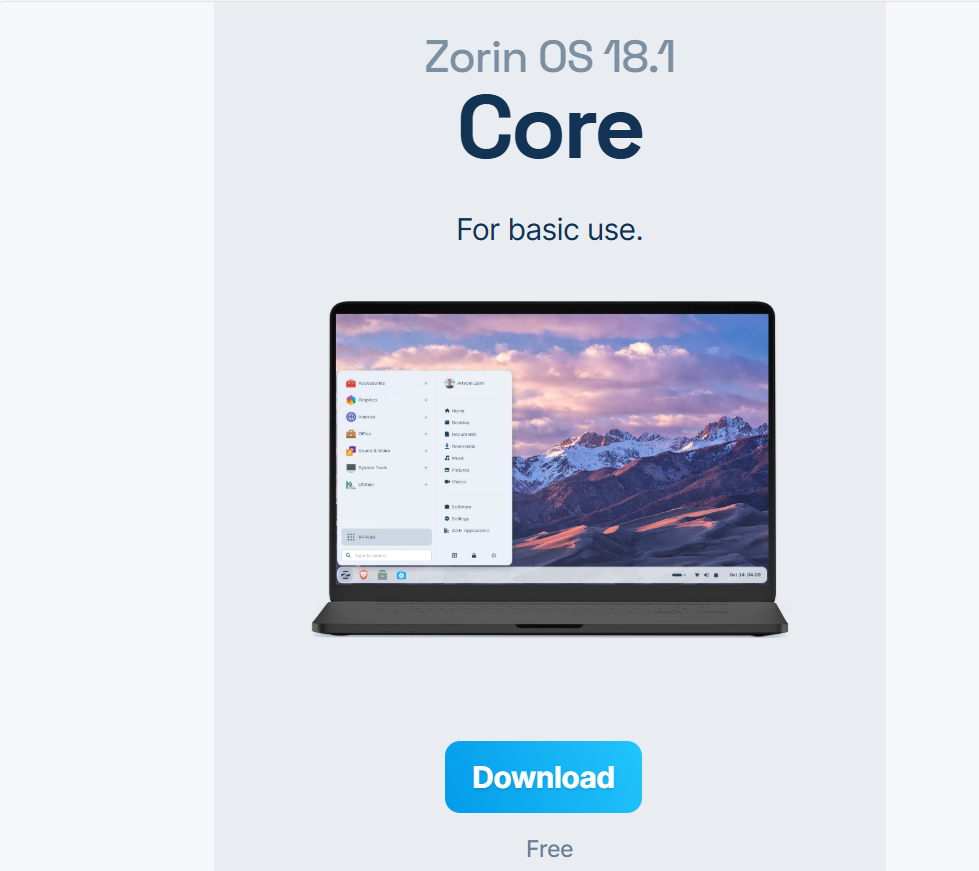
Step 1: Go to the official website to download VMware Zorin OS
Select the Free File to download the ISO File.
Step 2: After Downloading the file. Open your VMware Workstation.
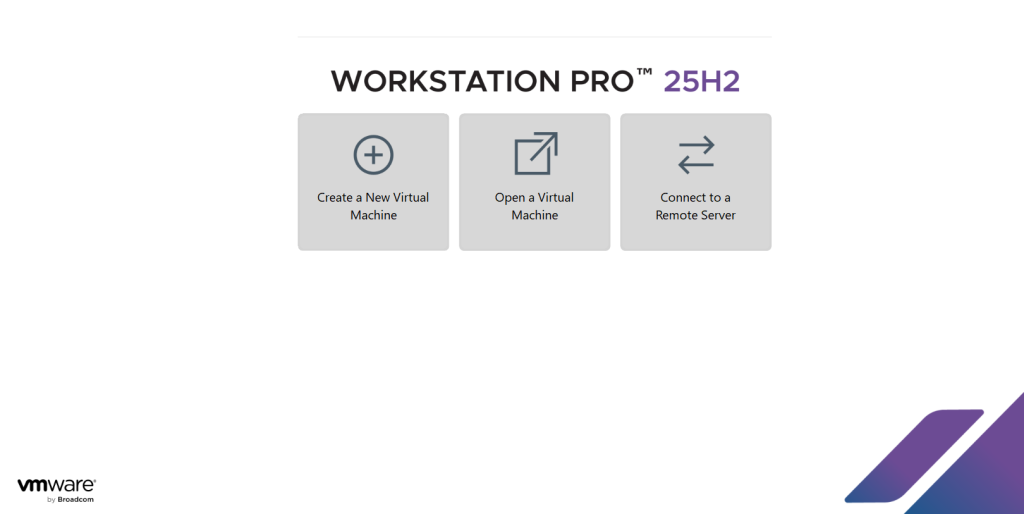
Step 3: Click on Create a New Virtual Machine.
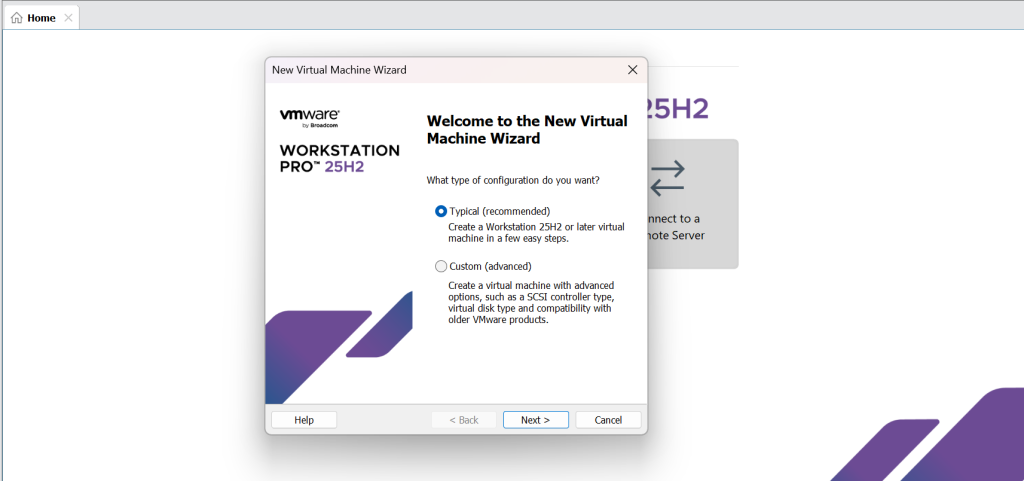
Step 4: Click on Typical option, and then click on Next. After that Click on Installer disk image file (ISO) and browse the ISO file from your main system and click on Next.
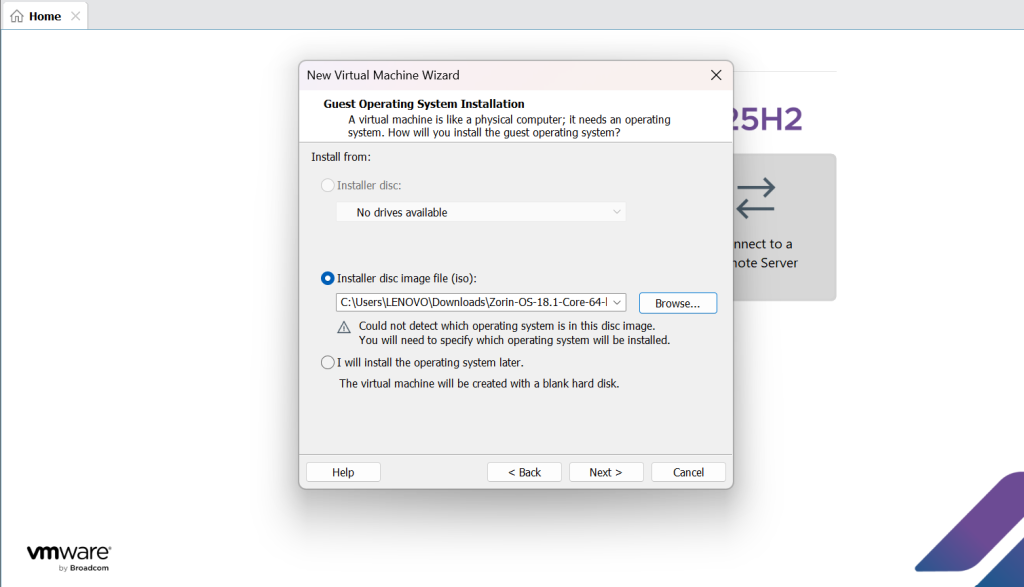
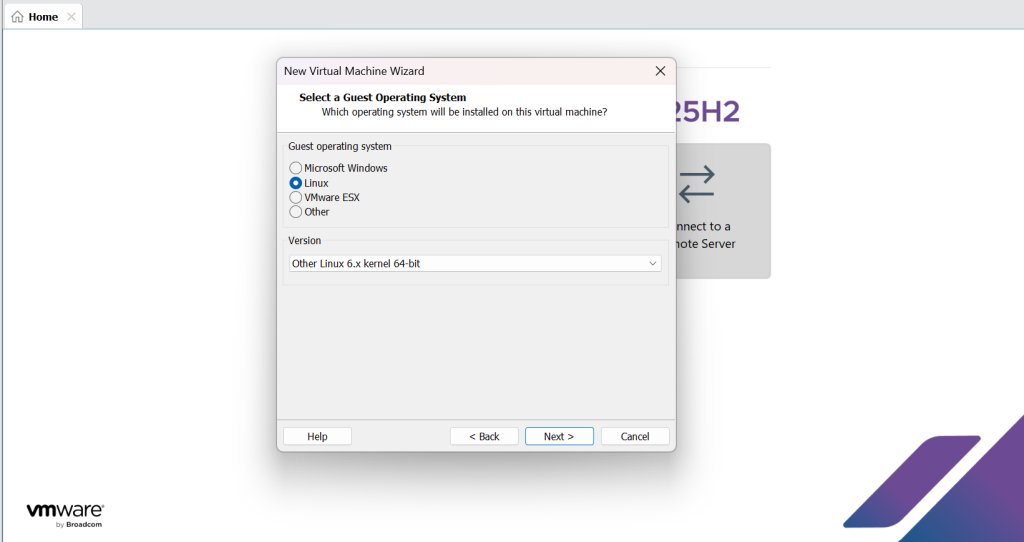
Step 5: Select on Linux option and select the latest version of Linux as Zorian OS is a Linux product, and click on Next.
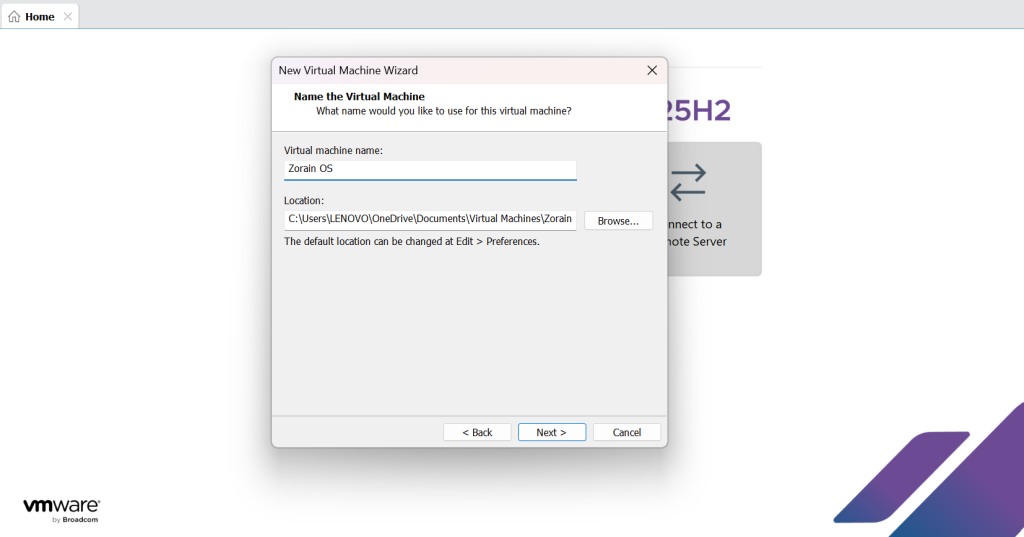
Step 6: Renamed your OS and recheck the location of your ISO file in the location folder and click on Next.
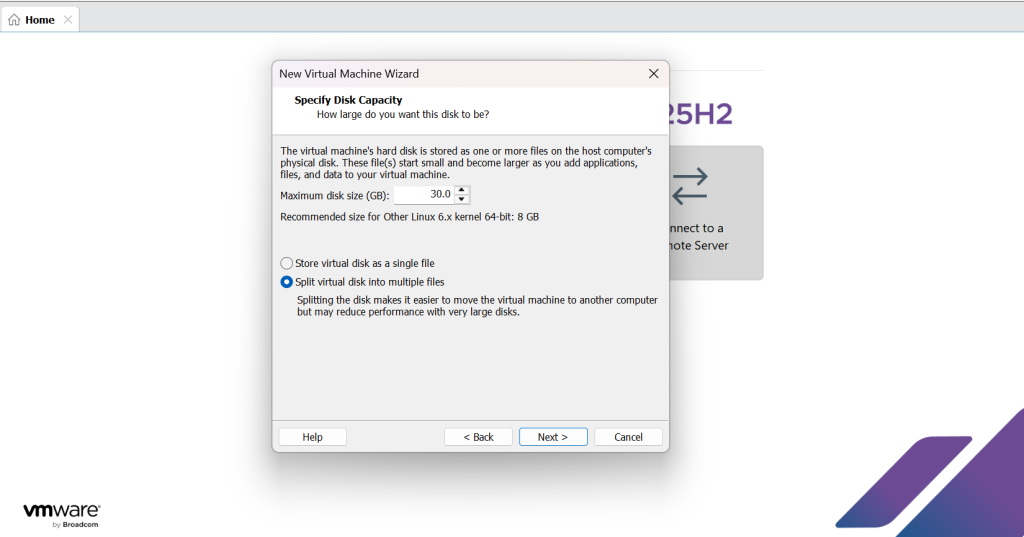
Step 7: Select the maximum disc space as per requirement and select split virtual disc option and click on Next.
Step 8: After Step 7, Click on Finish.
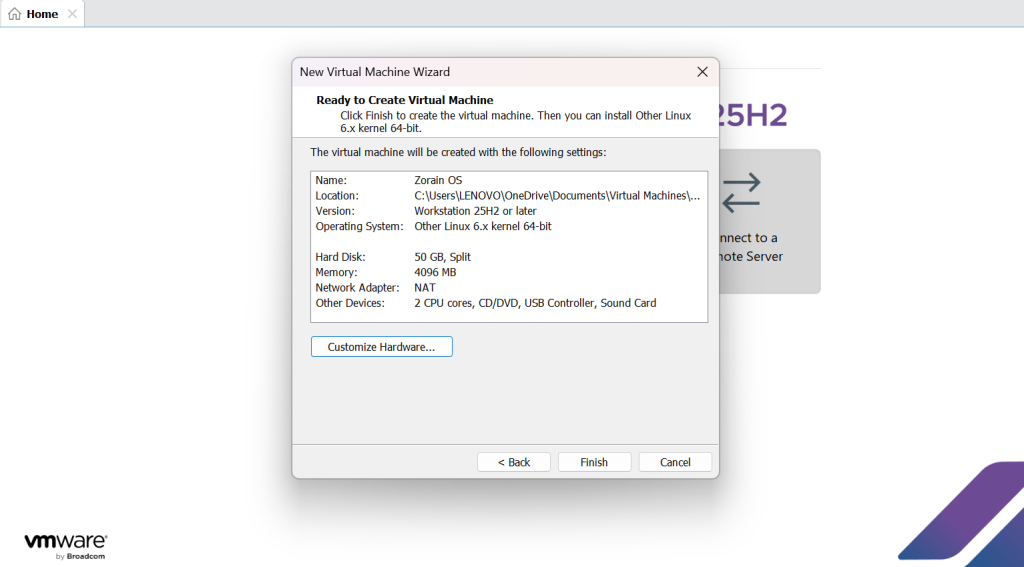
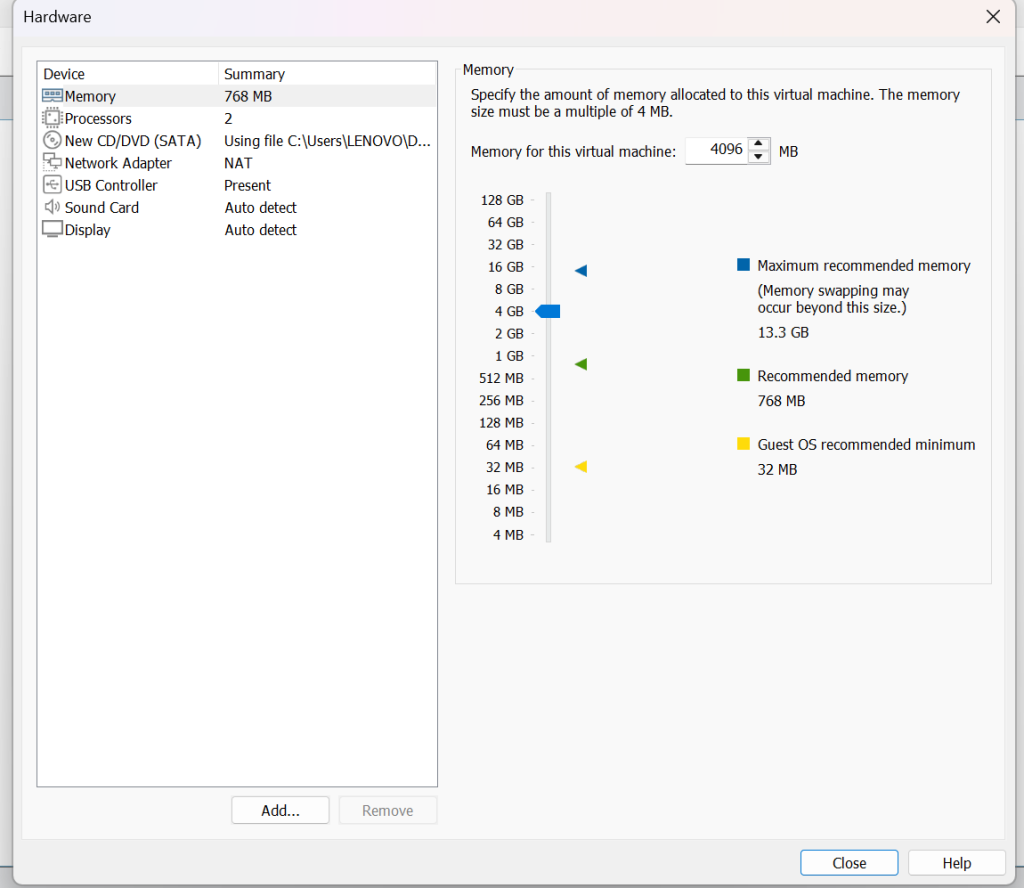
Step 9: Customize your hardware step up by clicking on Customize Hardware, you can change your RAM capacity. And then follow Step 8.
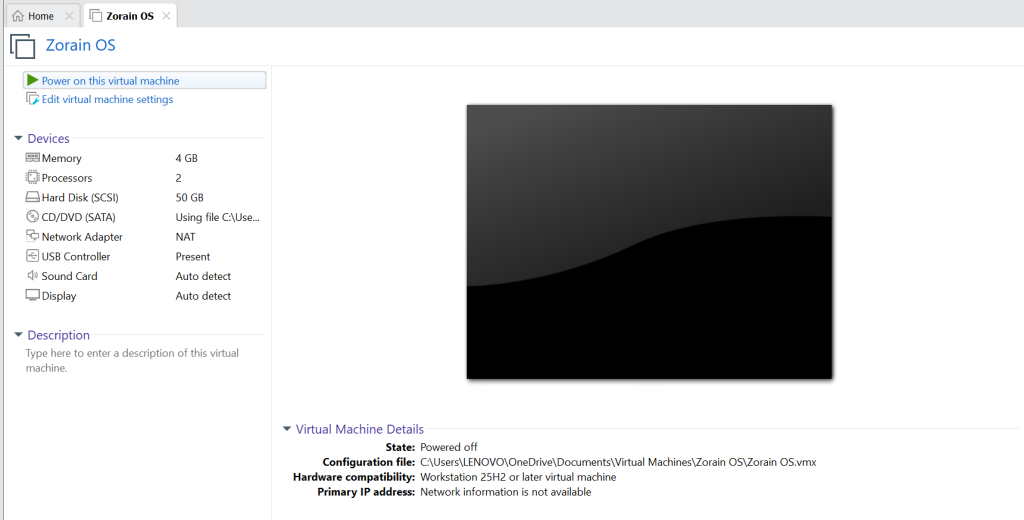
Step 10: Click on Power On this virtual machine to Turn On the virtual machine.
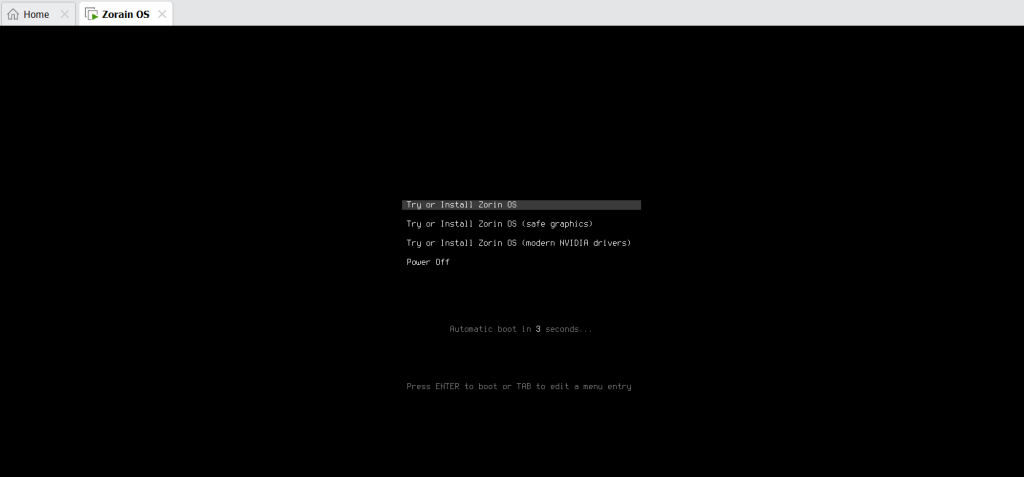
Step 11: After Clicking the power on button, the next screen will be visible and then click on Try or Install Zorin OS to boot the OS.
Step 12: Select your language and click on Try Zorin OS.
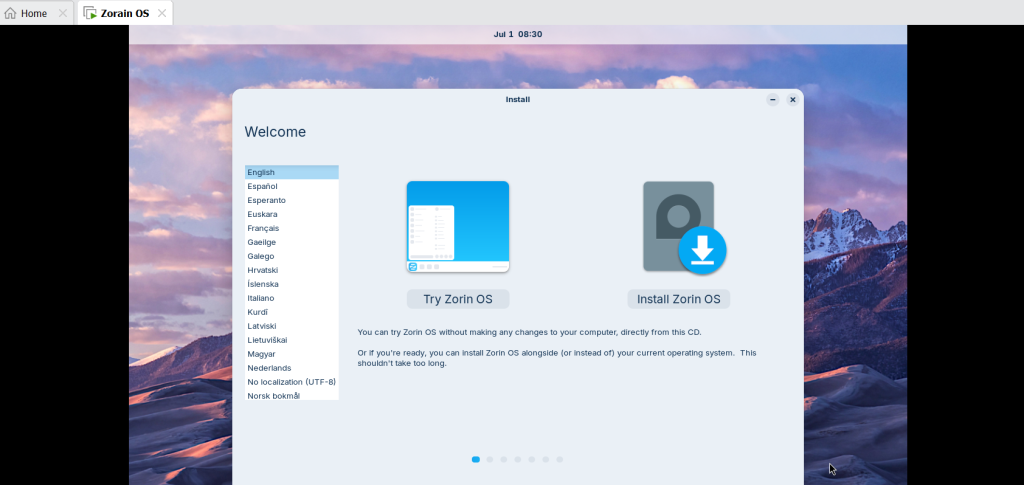
Step 13: Select the options given in the screenshot and click on continue.
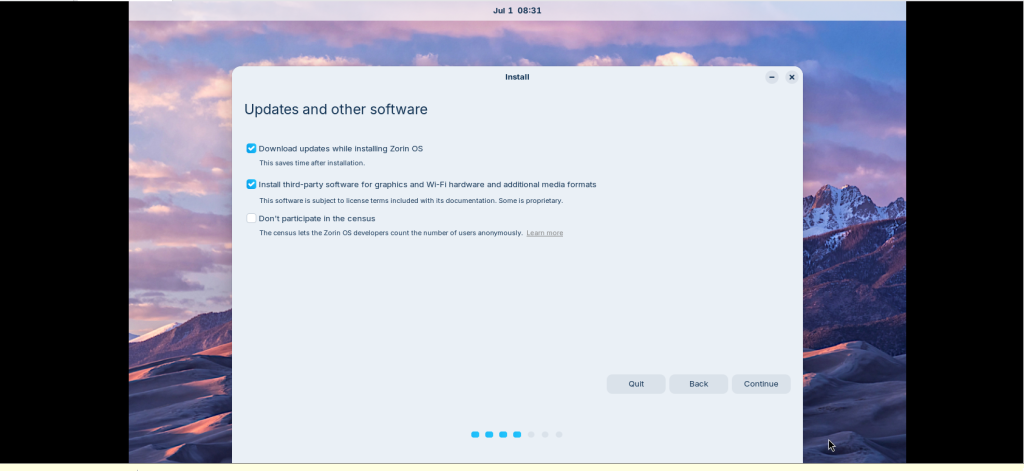
Step 14: Select the Installation type and the free disc space and click on Install Now.
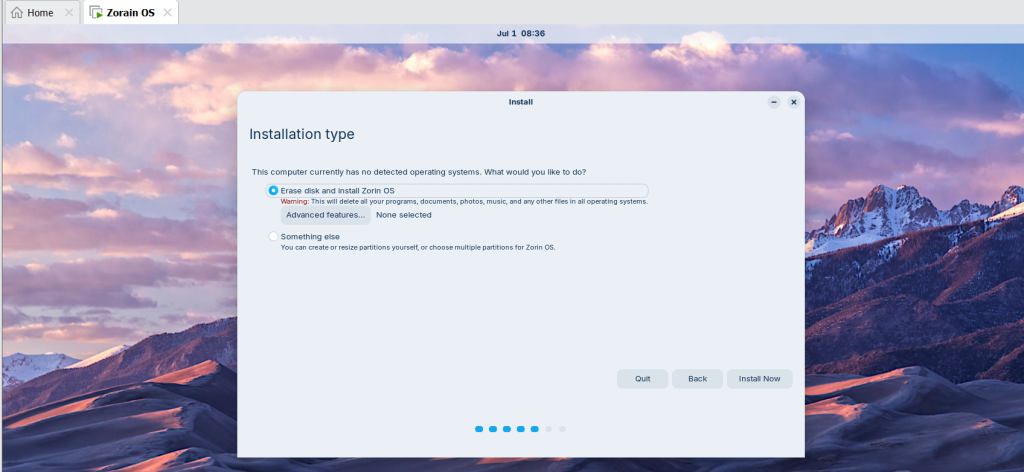
Step 15: Fill the required details for installation process and click on continue.
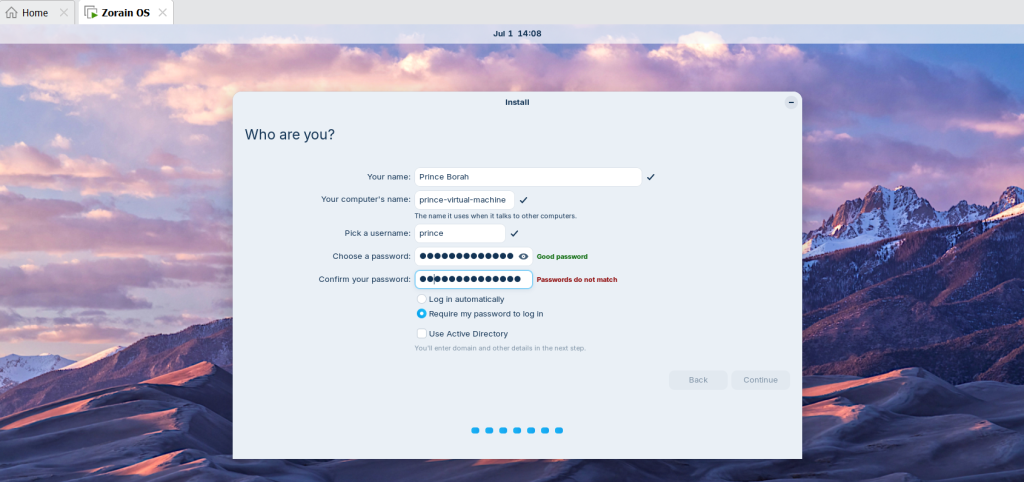
Step 16: After Completion of installation, restart the system.
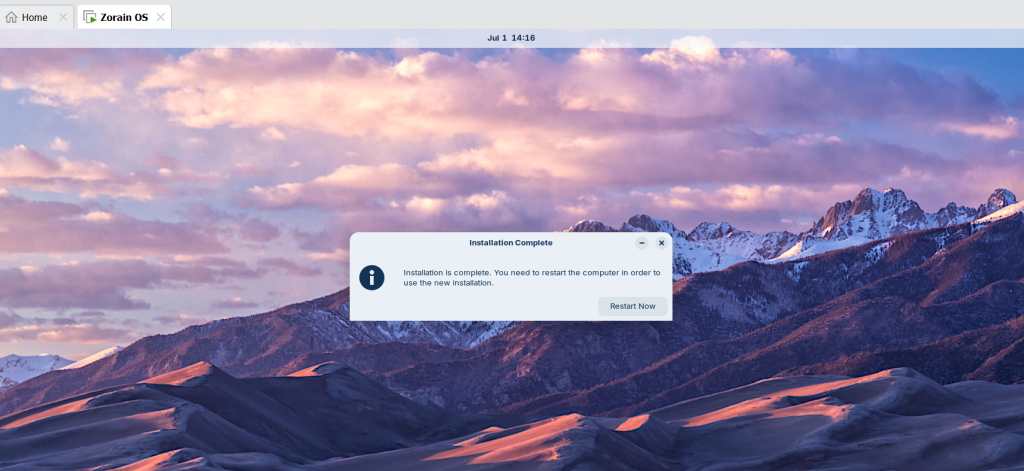
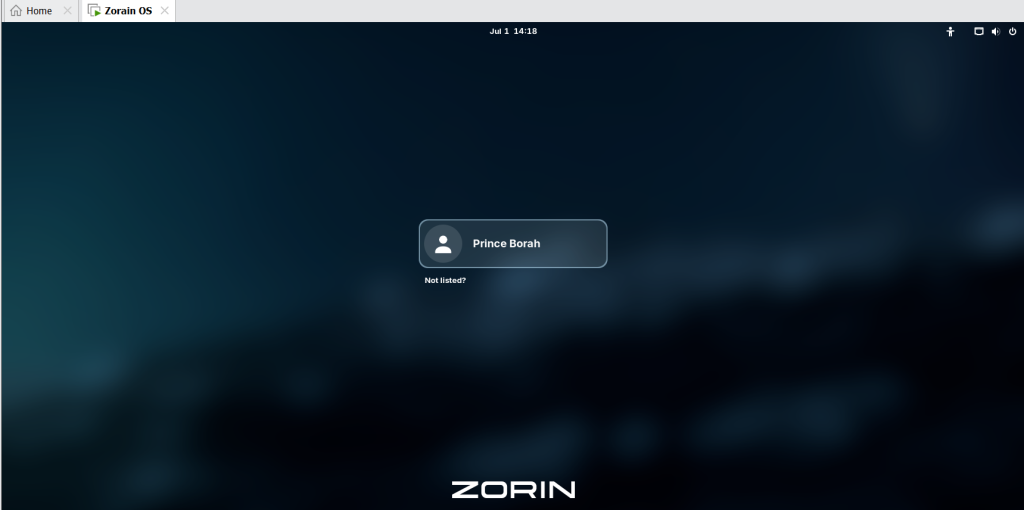
Step 17: You had successfully installed VMware Zorin OS. Now click on your ID and Enter the password.
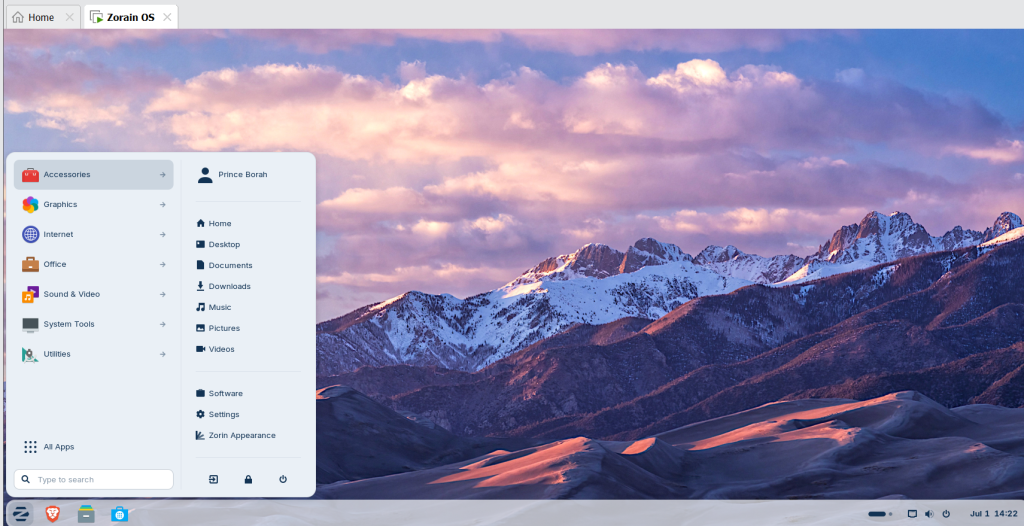
Step 18: Your Zorin OS is now ready to use.
Conclusion
Zorin OS in 2026 represents a remarkable step forward in the world of Linux distributions. It continues to deliver on its promise of being a user‑friendly, secure, and versatile operating system that empowers individuals, businesses, and educational institutions alike. By combining a familiar interface with the power of open‑source technology, Zorin OS makes the transition to Linux smooth and enjoyable for users of all backgrounds.
One of the greatest benefits of Zorin OS in 2026 is its ability to balance performance and accessibility. Whether running on modern hardware or breathing new life into older machines, it ensures speed, stability, and reliability. This makes it not only cost‑effective but also environmentally conscious, extending the usability of existing devices.
Zorin OS also shines in its customization and compatibility. With multiple desktop layouts, enhanced support for gaming, and seamless integration with popular applications, it offers flexibility without compromising ease of use. The operating system’s strong focus on security and privacy further reassures users that their digital environment is safe and trustworthy.
FAQs
What is Zorin OS?
Zorin OS is a user‑friendly Linux distribution designed to provide a smooth transition from Windows or macOS.
Is Zorin OS free to use?
Yes, Zorin OS offers a free version with essential features, along with a Pro edition that includes advanced layouts and premium support.
Can I install Zorin OS on older hardware?
Yes, Zorin OS is optimized to run efficiently on older computers, extending their lifespan.
Does Zorin OS support Windows apps?
Yes, Zorin OS includes compatibility layers that allow many Windows applications to run smoothly.
Is Zorin OS good for gaming?
With improved support for Steam, Lutris, and Proton, Zorin OS in 2026 is a solid choice for gamers.
How secure is Zorin OS?
Zorin OS prioritizes security with regular updates, built‑in protections, and strong privacy features.
Discover more from Root Learning
Subscribe to get the latest posts sent to your email.


One thought on “VMWare Zorin OS: Brilliant Path to a Smooth Zorin OS Setup in 2026”