LAMP Server Installation on Zorin OS: Discover how to set up a powerful LAMP stack in 2026 with ease. Experience effortless installation, seamless configuration, and optimized performance for web hosting success.
Table of Contents
Introduction to LAMP Server Installation
The LAMP Server Installation is one of the most popular methods for building dynamic websites and web applications. It provides developers and businesses with a reliable, open-source stack that combines essential components to deliver powerful hosting solutions.
What LAMP Stands For
LAMP is an acronym representing four key technologies:
- Linux – The operating system that forms the foundation.
- Apache – The web server responsible for handling requests.
- MySQL/MariaDB – The database system that stores and manages data.
- PHP – The scripting language that powers dynamic content.
Together, these components create a flexible and cost-effective environment for web development, making LAMP Server Installation a cornerstone of modern hosting.
Why It’s Essential for Web Hosting?
The LAMP Server Installation on Zorin OS is essential because it offers:
- Open-source freedom – No licensing costs, making it budget-friendly.
- Stability and reliability – Trusted by millions of developers worldwide.
- Scalability – Suitable for small projects and enterprise-level applications.
- Community support – A vast ecosystem of tutorials, forums, and updates.
By combining these strengths, LAMP Server ensures that websites run smoothly, securely, and efficiently, empowering developers to deliver high-performance applications in 2026 and beyond.
Benefits of LAMP Server on Zorin OS
The LAMP Server Installation on Zorin OS brings a range of advantages that make it an excellent choice for developers and businesses. Zorin OS is known for its user-friendly design, and when combined with the LAMP stack, it creates a powerful environment for hosting websites and applications.
User-Friendly Interface
One of the standout benefits of LAMP Server is its intuitive interface. Zorin OS is designed to be beginner-friendly, offering a clean desktop environment that makes managing server components easier. This simplicity reduces the learning curve for new users while still providing advanced tools for experienced developers. As a result, installing and configuring Apache, MySQL, and PHP becomes a smooth process, ensuring that even first-time users can achieve successful deployment.
Stability and Performance Advantages
Another key benefit of LAMP Server Installation on Zorin OS is the combination of stability and performance. Zorin OS is built on Ubuntu, which is renowned for its reliability and long-term support. This foundation ensures that your LAMP stack runs securely and efficiently. With optimized resource management, websites hosted on Zorin OS deliver faster load times and consistent uptime. The performance advantages make it suitable for both small projects and enterprise-level applications, ensuring scalability and long-term success.
Pre‑Installation Requirements for LAMP Server
Before beginning the LAMP Server Installation on Zorin OS, it’s important to prepare your system with a practical approach. Proper preparation ensures that the installation runs smoothly, avoids errors, and delivers optimal performance for your web hosting environment.
System Updates
The first practical step is to update your Zorin OS system. Open the terminal and run the command prompt:
sudo apt update && sudo apt upgrade -y
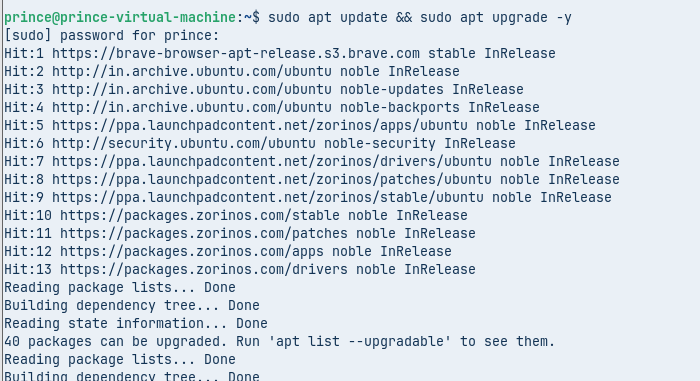
This command refreshes the package list and installs the latest updates. Keeping your system current ensures compatibility with Apache, MySQL/MariaDB, and PHP. It also applies the latest security patches, which are crucial for protecting your server against vulnerabilities. Regular updates form the backbone of a stable LAMP Server Installation.
Package Dependencies
Next, install the essential package dependencies required for the LAMP stack. These include basic tools and libraries that support the installation process. Run the command prompt: sudo apt install software-properties-common -y

This package helps manage repositories and dependencies effectively. Preparing these dependencies in advance ensures that each component of the LAMP stack integrates seamlessly. By doing this, you reduce the risk of missing modules or configuration errors during the LAMP Server Installation on Zorin OS.
Step‑by‑Step Installation Guide
Install Apache
Apache is the web server that handles requests and serves your website content.
Run the command prompt in the terminal: sudo apt install apache2 -y

- Update package list before installation.
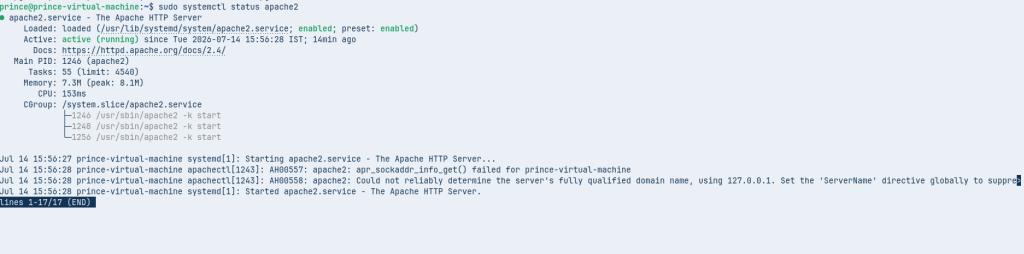
- Verify Apache service is running with, run command in the prompt: sudo systemctl status apache2
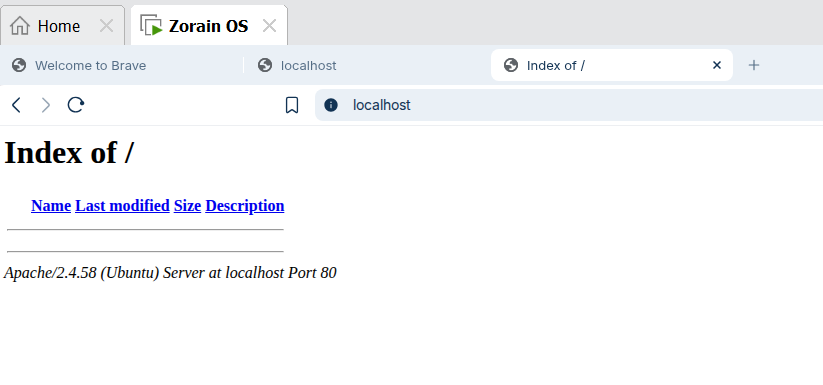
- Test by visiting in your browser.
Set Up MySQL/MariaDB
MySQL or MariaDB provides the database system for storing and managing data.
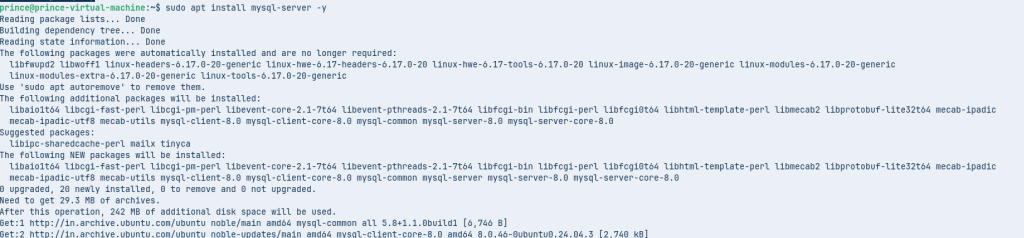
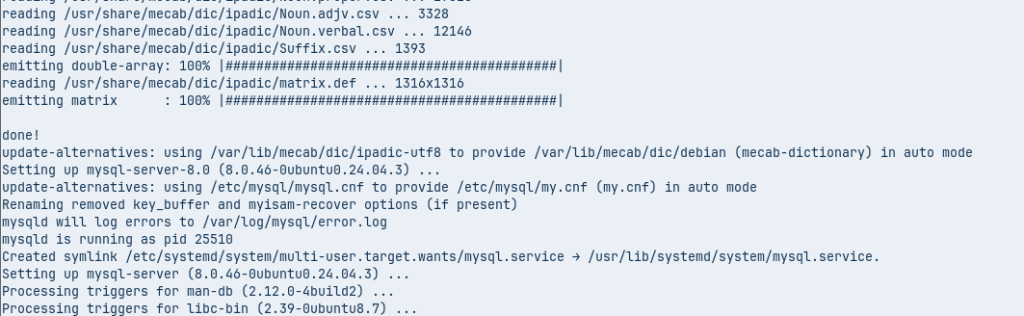
- Run the command in the prompt of terminal: sudo apt install mysql-server -y
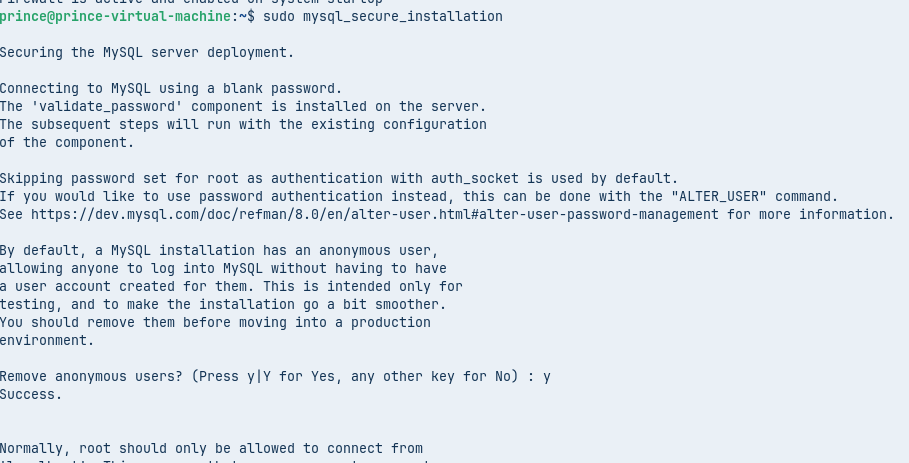
- For secure installation, run the command: sudo mysql_secure_installation
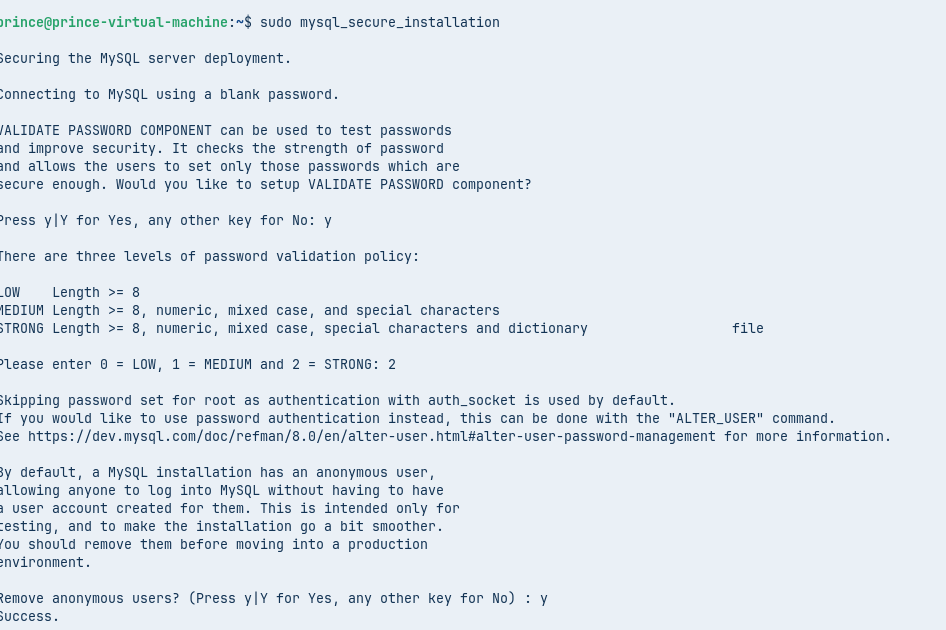
- Create a root password and remove anonymous users
- Test login with by run the command in the terminal: mysql -u root -p
Configure PHP
PHP processes dynamic content and integrates with Apache and MySQL.
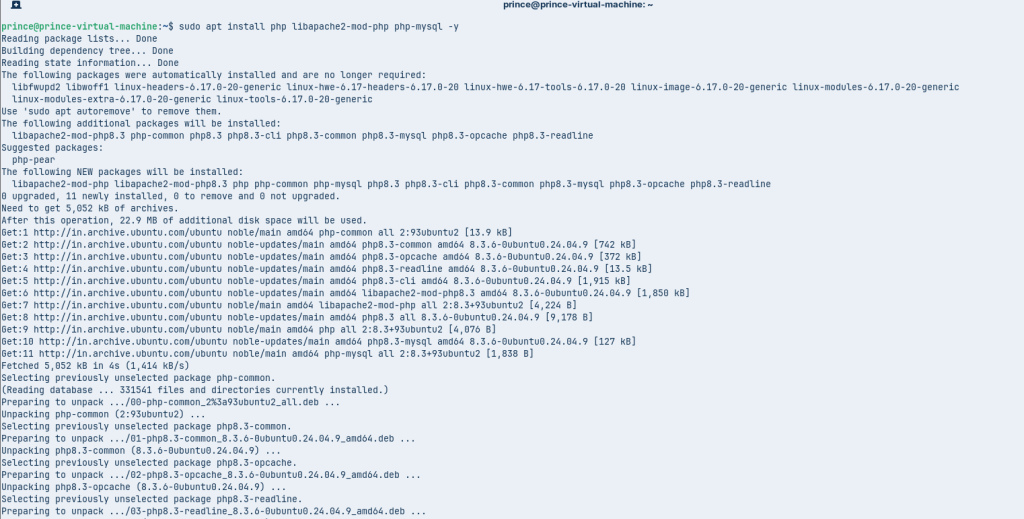
- Run the command: sudo apt install php libapache2-mod-php php-mysql -y
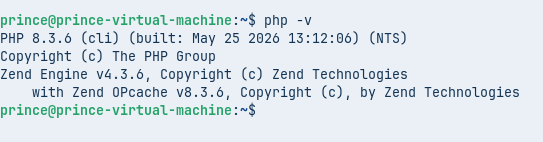
- Verify PHP version. Run the command: php -v
- Create a test file: sudo nano /var/www/html/info.php
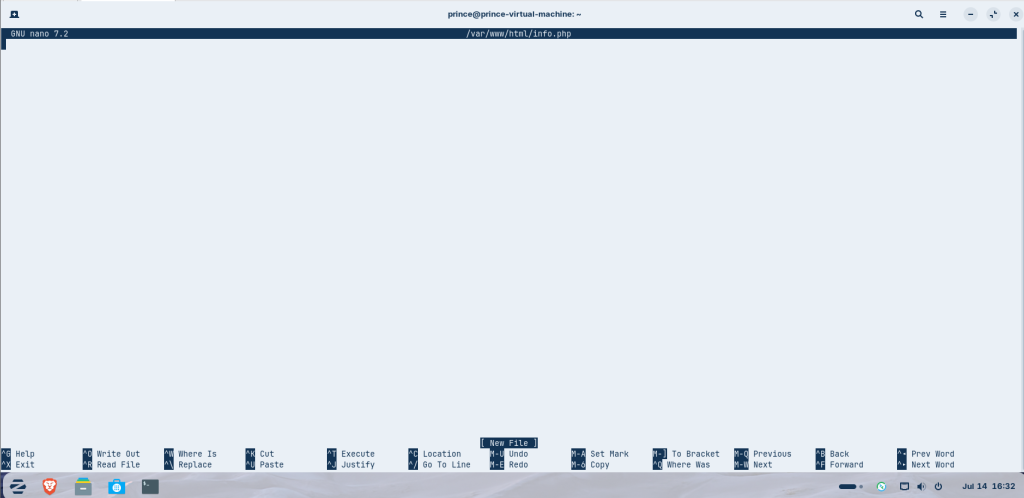
- Add <?php phpinfo(); ?> and access via local host in your browser.

This sequence ensures that Apache, MySQL/MariaDB, and PHP are installed and configured correctly. By following these steps, your LAMP Server Installation on Zorin OS will be ready to host dynamic websites with stability and performance.
Configuration and Optimization for LAMP Server on Zorin OS
After completing the LAMP Server Installation on Zorin OS, the next step is to configure and optimize the stack. This ensures your server is secure, efficient, and ready to handle real-world workloads. A practical approach involves both security hardening and performance tuning.
Security Hardening
Securing your LAMP Server Installation is critical to protect websites and applications from vulnerabilities.
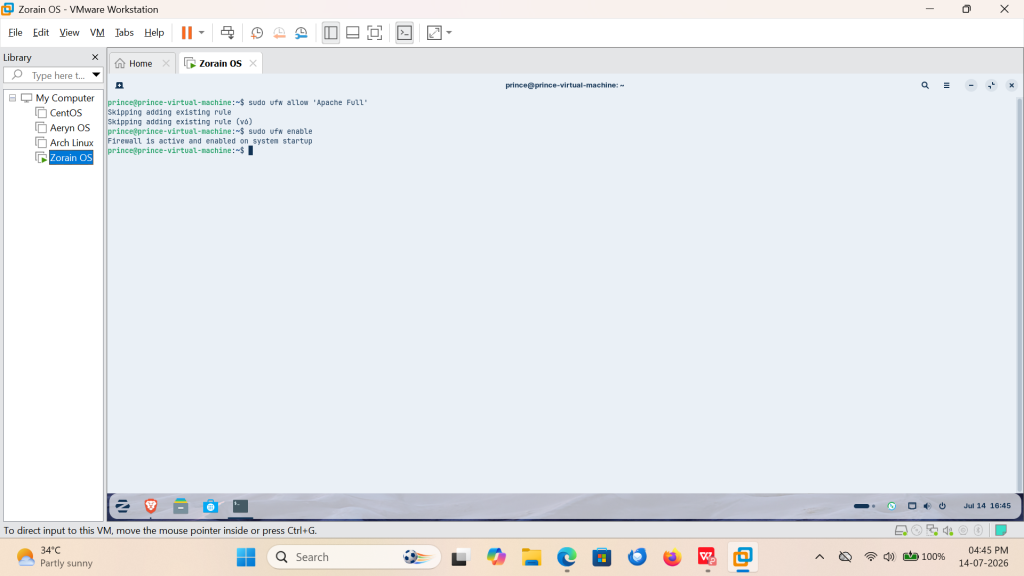
- Enable Firewall (UFW): Run command: sudo ufw allow ‘Apache Full’ and run second command: sudo ufw enable
- Secure MySQL/MariaDB: Run the built-in security script: sudo mysql_secure_installation
- Configure Apache Security: Disable directory listing by editing
/etc/apache2/apache2.confand ensuring: Options -Indexes
Performance Tuning
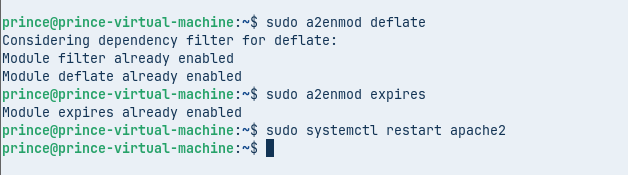
- Enable Apache Modules: Run Command sudo a2enmod deflate
- Run Command: sudo a2enmod expires
- Run Command sudo systemctl restart apache2
- Optimize MySQL/MariaDB: Run command: memory_limit = 256M
- Run Command: max_execution_time = 120
Database Connectivity Check
- Log in to MySQL/MariaDB: Run Command: mysql -u root -p
- Create a Test Database: CREATE DATABASE testdb;
- Run Command: SHOW DATABASES;
Check User Access
Run command: CREATE USER ‘testuser’@’localhost’ IDENTIFIED BY ‘YOUR PASSWORD’;
GRANT ALL PRIVILEGES ON testdb.* TO ‘testuser’@’localhost’;
FLUSH PRIVILEGES;
- Exit and reconnect using the new user: mysql -u testuser -p
Conclusion
Completing the LAMP Server Installation on Zorin OS provides a solid foundation for hosting dynamic websites and applications. By carefully preparing your system, installing Apache, MySQL/MariaDB, and PHP, and then applying configuration and optimization techniques, you create a secure and high‑performance environment.
The practical steps such as running system updates, managing package dependencies, verifying Apache and PHP, checking database connectivity, and troubleshooting common issues—ensure that your LAMP Server setup is both reliable and scalable. With added security hardening and performance tuning, you can confidently deploy projects that meet modern web standards.
Ultimately, Zorin OS offers a user‑friendly interface combined with the stability of Ubuntu, making it an excellent choice for developers who want a smooth and efficient LAMP Server Installation experience in 2026 and beyond.
FAQs
What is LAMP Server?
LAMP stands for Linux, Apache, MySQL/MariaDB, and PHP. It’s a popular open-source stack used for hosting dynamic websites and applications.
Is Zorin OS good for LAMP Server Installation?
Yes, Zorin OS is beginner-friendly, stable, and built on Ubuntu, making it an excellent choice for setting up a LAMP stack.
How do I secure my LAMP Server?
You can enable UFW firewall, run mysql_secure_installation and disable directory listing in Apache to strengthen security.
Can I use MariaDB instead of MySQL?
Absolutely. MariaDB is a drop-in replacement for MySQL and works seamlessly with LAMP Server on Zorin OS.
Discover more from Root Learning
Subscribe to get the latest posts sent to your email.