Few Linux names are as famous, or as misunderstood, as Kali Linux. In films, it is the black screen with green text that lets a hacker break into anything in seconds. In real life, it is a free operating system that security professionals use to test whether systems are strong enough to resist attacks. The reality is far less dramatic, and far more useful for anyone who wants a career in cybersecurity.
This guide explains Kali Linux in plain language. You will learn what it is, who uses it, how to set it up safely, and seven powerful tools that every beginner should know about. It also covers the rules you must follow, because the most important skill in security is knowing where the legal line sits.
Table of Contents
What Is Kali Linux?
Kali Linux is a free, Debian-based Linux distribution built for security testing, digital forensics and related work. It comes with a large collection of preinstalled tools, so a professional does not need to find, download and configure each one separately.
Where It Comes From
Kali Linux is developed and maintained by OffSec (formerly Offensive Security) and is the successor to an older security distribution called BackTrack. It was released in 2013 and uses a rolling release model, which means it keeps receiving updates instead of waiting for a big version jump. You can read about it on the official Kali Linux website.
Who Uses It
- Penetration testers who check systems with permission from the owner
- Security students and learners who practise in labs
- Digital forensics investigators who examine devices and data
- Network and system administrators who want to test their own setups
Is It Legal?
Yes, downloading and using Kali Linux is legal. What matters is how you use the tools inside it. Testing a system without clear permission from its owner is illegal in India and in most other countries, even if you have no bad intention. Treat this as the first rule of every lesson that follows.
Rules to Follow Before You Touch Any Tool
Good security learners are disciplined. These rules keep you safe and keep your career intact.
Get Permission in Writing
Only test systems that you own or that have given you clear, written permission. A home lab, a virtual machine you created and practice platforms built for learners are good choices.
Build a Safe Lab
Create a separate, isolated environment so that nothing you try can affect real networks. A virtual lab with two or three machines is enough to learn the basics.
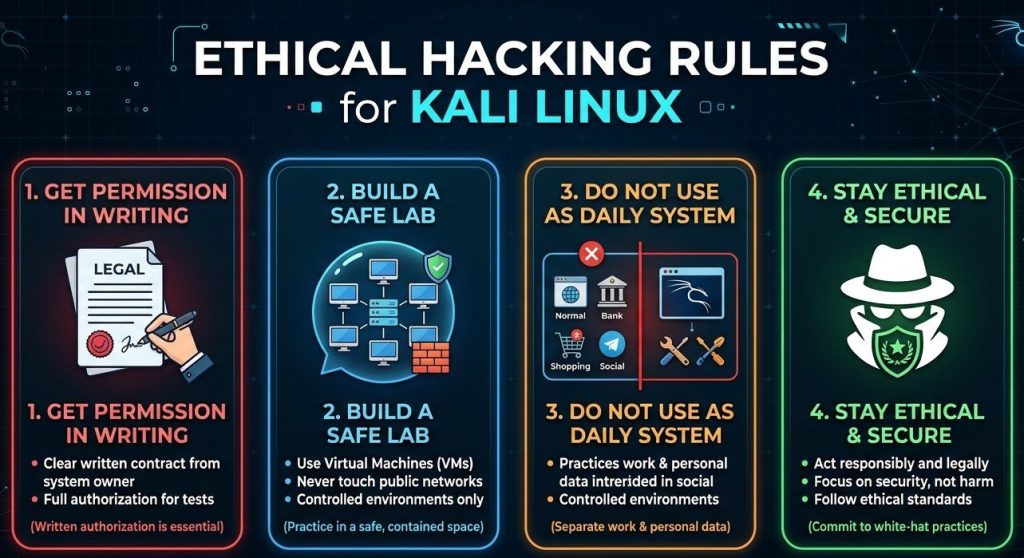
Do Not Use It as Your Daily System
Kali Linux is designed for security work, not for everyday browsing, banking or office tasks. The developers themselves say it is not a general-purpose desktop for beginners. Use a normal Linux distribution for daily life and keep Kali Linux for practice.
Stay Ethical
Ethical hackers report problems and help fix them. They do not steal, damage or expose data. This mindset is what separates a professional from a criminal.
How to Run Kali Linux Safely
You do not need to wipe your computer to try it. Beginners usually pick one of these options.
Option 1: Virtual Machine
Running it inside a virtual machine, such as VirtualBox or VMware, is the safest way to start. If something goes wrong, you can delete the machine and begin again without any harm to your main system. Official ready-made virtual machine images are available from the Kali website.
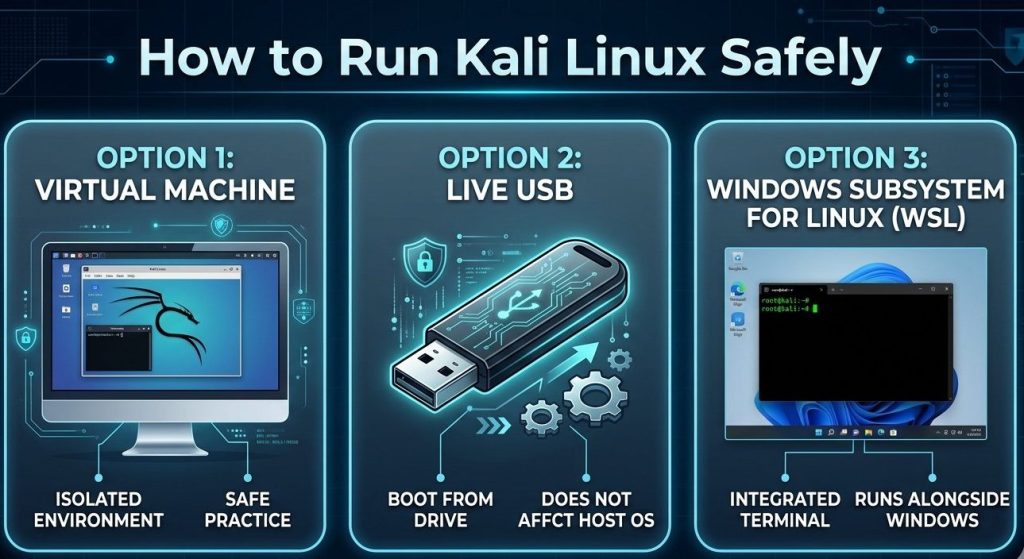
Option 2: Live USB
A live USB lets you boot it from a pen drive without installing it. It is useful for quick tests and leaves your hard drive untouched.
Option 3: Windows Subsystem for Linux
If you use Windows, you can run it through WSL for command-line tools. This is a lightweight way to practise without a full virtual machine.
7 Powerful Kali Linux Tools Every Beginner Should Know About
Kali Linux comes with hundreds of tools, and no one needs all of them. These seven give you a solid base and cover the major areas of security work.
1. Nmap: Map a Network
Nmap, short for Network Mapper, discovers devices on a network and shows which services they are running. Administrators use it to understand what is exposed and to check that nothing unnecessary is open. A harmless way to try it is on your own home network or lab, for example a simple host discovery scan:
nmap -sn 192.168.1.0/24This lists devices that respond on that range. Use it only on networks you own or manage. The official Nmap website has documentation for beginners.
2. Wireshark: See Network Traffic
Wireshark captures and displays the data moving across a network, one packet at a time. It helps you troubleshoot slow connections, understand how protocols work and spot suspicious patterns. Many learners say that watching real traffic for the first time makes networking concepts suddenly click. Visit the Wireshark website to learn more.
3. Metasploit Framework: Test Known Weaknesses
Metasploit is a framework that authorized testers use to check whether known vulnerabilities in a system can really be exploited. This helps organizations prove which problems are serious and need fixing first. For a beginner, the main lesson is conceptual: security is about finding and fixing weaknesses before someone else uses them. Practise only in a lab built for this, never on real systems.
4. Burp Suite: Test Web Applications
Burp Suite sits between your browser and a website, letting you inspect and modify the requests that pass through. Web security testers use it to check login pages, forms and other features in applications they have permission to test. Learning it teaches you how websites actually communicate.
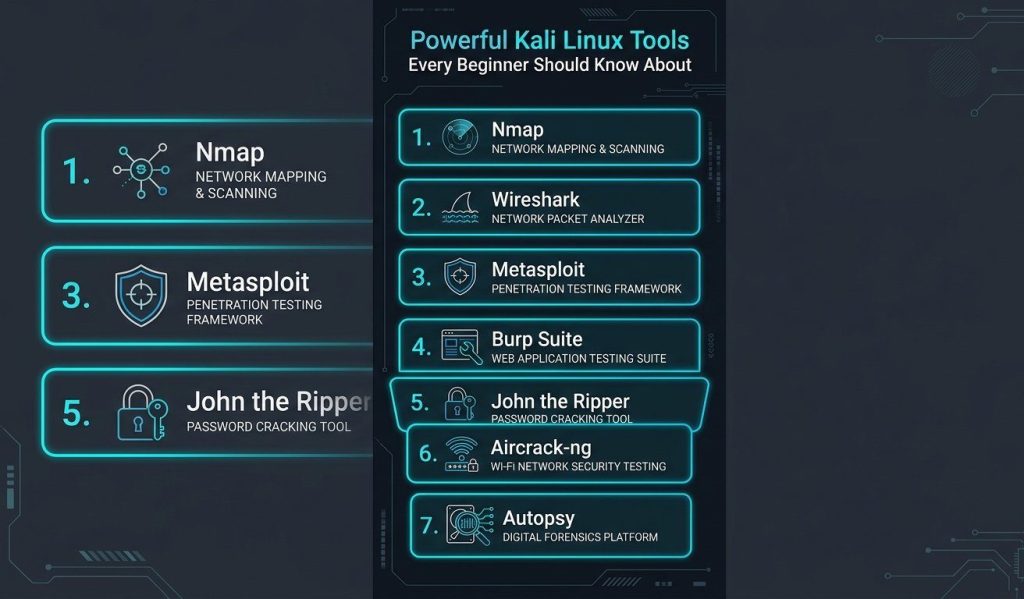
5. John the Ripper: Audit Password Strength
John the Ripper is a password auditing tool. Administrators use it to check whether the passwords stored on their own systems are weak enough to be guessed. It is a good reminder of why long, unique passwords matter, and why systems should never store them carelessly.
6. Aircrack-ng: Check Wireless Security
Aircrack-ng is a set of tools for assessing the security of Wi-Fi networks. Its main value for beginners is understanding how wireless encryption works and why old standards are risky. Use it only on your own network or an authorized lab.
7. Autopsy: Investigate Digital Evidence
Autopsy is a digital forensics platform that helps examine disk images and recover information for investigations. It shows the defensive and investigative side of security, which is just as important as testing. Forensic work needs patience and careful documentation.
A Beginner’s Learning Path for Kali Linux
Opening Kali Linux and clicking around randomly is a poor way to learn. A structured path works better.
Step 1: Master Linux Basics
Learn file navigation, permissions, users and package management first. If these feel new, start with a guide to essential Linux commands before touching security tools.
Step 2: Learn Networking Fundamentals
Understand IP addresses, ports, DNS, HTTP and how data travels across a network. Tools like Nmap and Wireshark make much more sense once these ideas are clear.
Step 3: Build a Home Lab
Set up two or three virtual machines in an isolated network. Practise on machines you created, and take notes of what you try and learn.
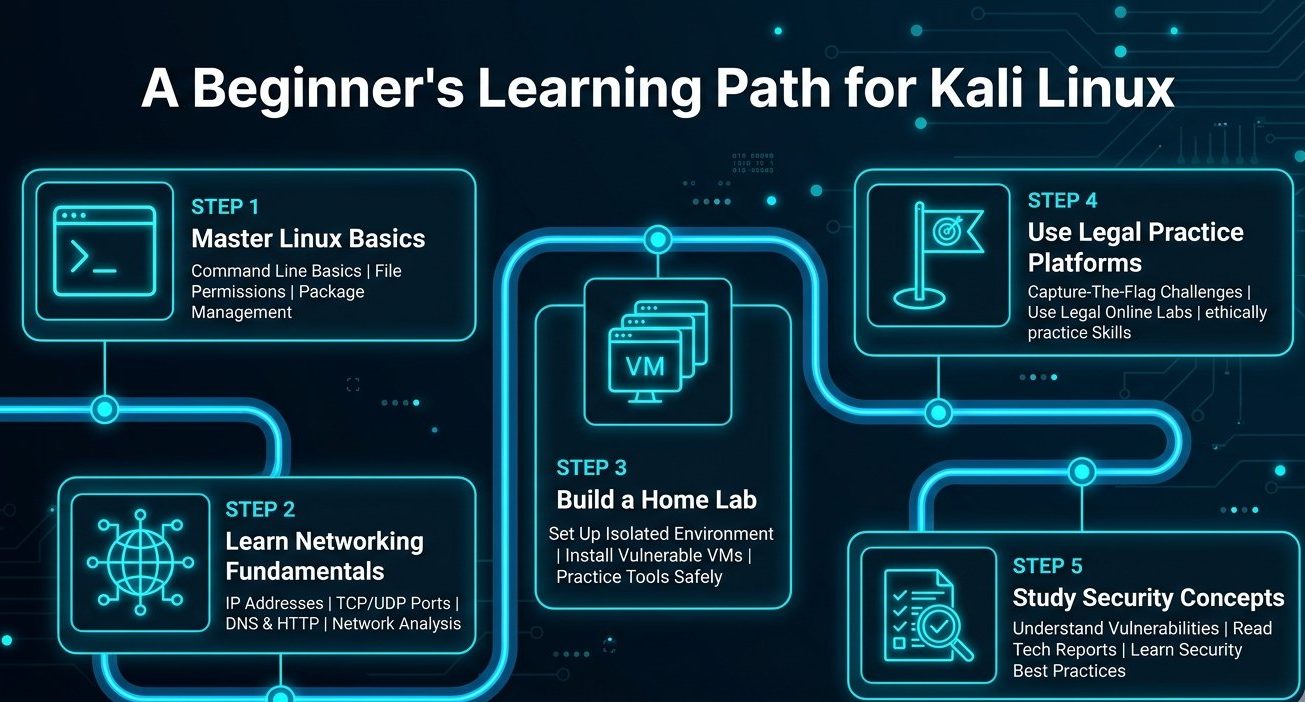
Step 4: Use Legal Practice Platforms
Beginner-friendly capture-the-flag platforms and deliberately vulnerable practice machines give you a legal place to test your skills.
Step 5: Study Security Concepts
Read about common vulnerabilities, how defenders respond and how reports are written. Good testers explain problems clearly, not just find them.
For more step-by-step Linux and tech tutorials, you can browse Root Learning.
Career Paths That Use These Skills
Learning these tools is not just a hobby. The skills connect to real jobs in the technology industry.
Penetration Tester
Penetration testers are hired by organizations to find weaknesses before criminals do. They write clear reports that explain each issue and how to fix it.
Security Analyst
Analysts monitor systems, review alerts and respond to suspicious activity. Understanding traffic with tools like Wireshark gives them a strong advantage.
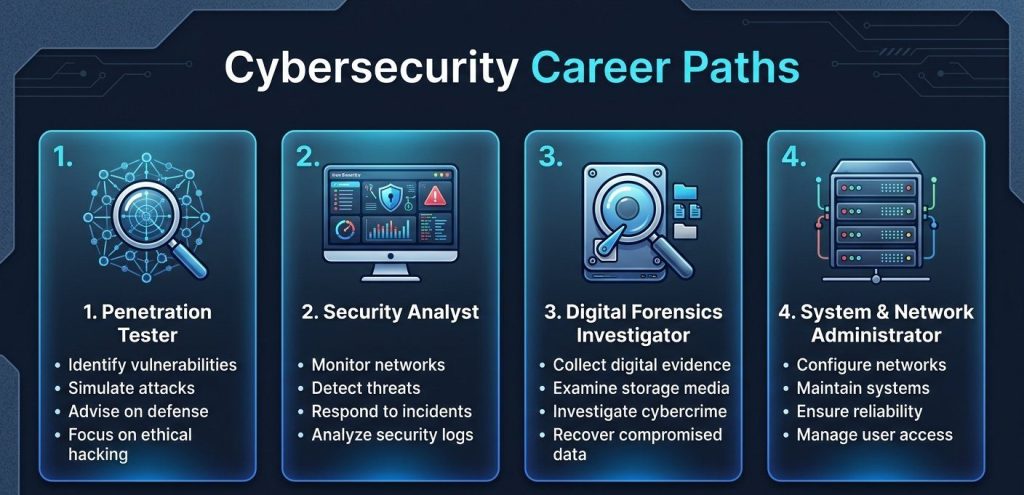
Digital Forensics Investigator
Forensic experts examine devices and logs after an incident to understand what happened. Their work supports companies, police and courts.
System and Network Administrator
Administrators who understand security testing build stronger systems from the start. Even without a full security title, these skills make a profile more valuable.
Certifications and structured courses can help, but practical lab experience and the ability to explain findings clearly matter just as much to employers.
Common Mistakes Beginners Make With Kali Linux
Using It as a Daily Operating System
It is built for testing, and running it for everything increases risk and complexity.
Running Tools Without Understanding Them
Copying commands from the internet teaches you nothing and can cause damage. Read what each option does first.
Testing Without Permission
Scanning random websites or networks, even out of curiosity, can lead to legal trouble. Stay inside your lab.
Ignoring Updates
An outdated installation can have bugs and missing tools. Update Kali Linux regularly inside your lab.
Chasing Tools Instead of Skills
Knowing one tool deeply is better than knowing the names of fifty. Focus on concepts, and tools will follow.
Frequently Asked Questions (FAQs) About Kali Linux
What is Kali Linux used for?
Kali Linux is used for penetration testing, security research, digital forensics and learning cybersecurity, with a large collection of preinstalled tools for these tasks.
Is Kali Linux legal to download and use?
Yes, it is free and legal to download. However, using its tools on systems without permission is illegal, so always work in a lab or with written authorization.
Is Kali Linux good for beginners?
It is good for learning security if you already know basic Linux and networking. Complete beginners should first learn Linux commands and networking basics.
Can I use Kali Linux as my daily operating system?
It is not recommended. Kali Linux is designed for security work, and a regular distribution is better for everyday tasks.
What is the difference between Kali Linux and Ubuntu?
Ubuntu is a general-purpose operating system, while Kali Linux is a specialized distribution focused on security tools. Both are based on Debian technology, though they serve different goals.
How can I install Kali Linux safely?
The safest method for beginners is a virtual machine. You can also use a live USB or run it through Windows Subsystem for Linux.
Do I need coding skills to learn Kali Linux?
You can start without coding, but basic scripting in Bash or Python helps a lot as you advance.
Which Kali Linux tool should I learn first?
Nmap and Wireshark are good starting points because they teach networking, which supports almost every other security skill.
Can Kali Linux be used for ethical hacking?
Yes. Ethical hacking means testing systems with permission and reporting weaknesses so they can be fixed, and Kali Linux is a popular platform for this.
Does Kali Linux make you a hacker automatically?
No. The tools only help if you understand the concepts behind them. Real skill comes from studying networking, systems and security principles.
Conclusion
This distribution is a powerful learning platform, but its real strength lies in the knowledge and discipline of the person using it. Start with Linux basics, build a safe lab, learn the seven tools in this guide and always stay within the law. With patience and regular practice, Kali Linux can become a stepping stone to a rewarding career in cybersecurity.
Discover more from Root Learning
Subscribe to get the latest posts sent to your email.