
Choosing the right Linux distribution can make a big difference when you’re building applications, managing servers, or working with containers. This Linux has become a popular choice among developers & system administrators because it’s lightweight, security-focused, and designed to keep things simple.
One of the things that makes this Linux easy to manage is its built-in package manager, called APK (Alpine Package Keeper). It handles everyday software management tasks, from finding packages and checking installed applications to managing dependencies and keeping software up to date.
In this guide, we’ll explore how APK works, why it’s useful, how Alpine repositories are organized, and which best practices can help you maintain a reliable system. We’ll also look at common problems and ways to troubleshoot them.
Table of Contents
What Is APK?
APK stands for Alpine Package Keeper. It’s the default package manager used by Alpine Linux to manage software and its dependencies.
Think of APK as the tool that keeps track of the software on your system. It helps you find available applications, check package details, manage updates, and remove software you no longer need.
Unlike Debian-based distributions, which use APT, or Fedora-based systems, which use DNF, Alpine relies on APK for package management. Its straightforward design fits well with Alpine’s overall goal of keeping the operating system small and efficient.
APK works with software packages available through configured repositories. These packages include the files and information needed to distribute applications and describe their dependencies.
These features make APK useful for everyday Linux administration as well as automated development and deployment workflows.
Guide to Install and Manage Packages in Alpine Linux Using APK
Log in to the Alpine Linux OS in VMware
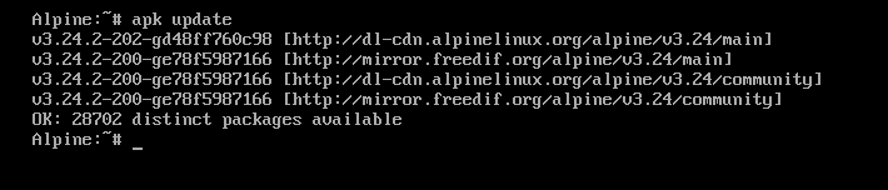
Update the package index
apk update
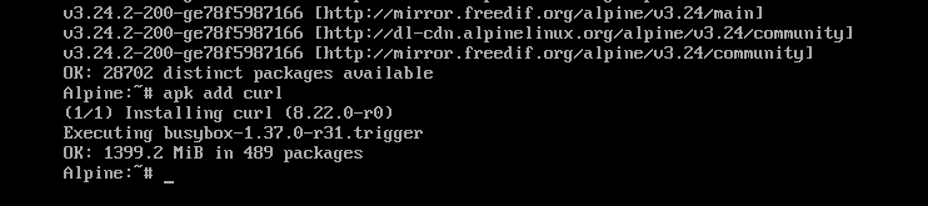
Install packages
apk add curl wget nano
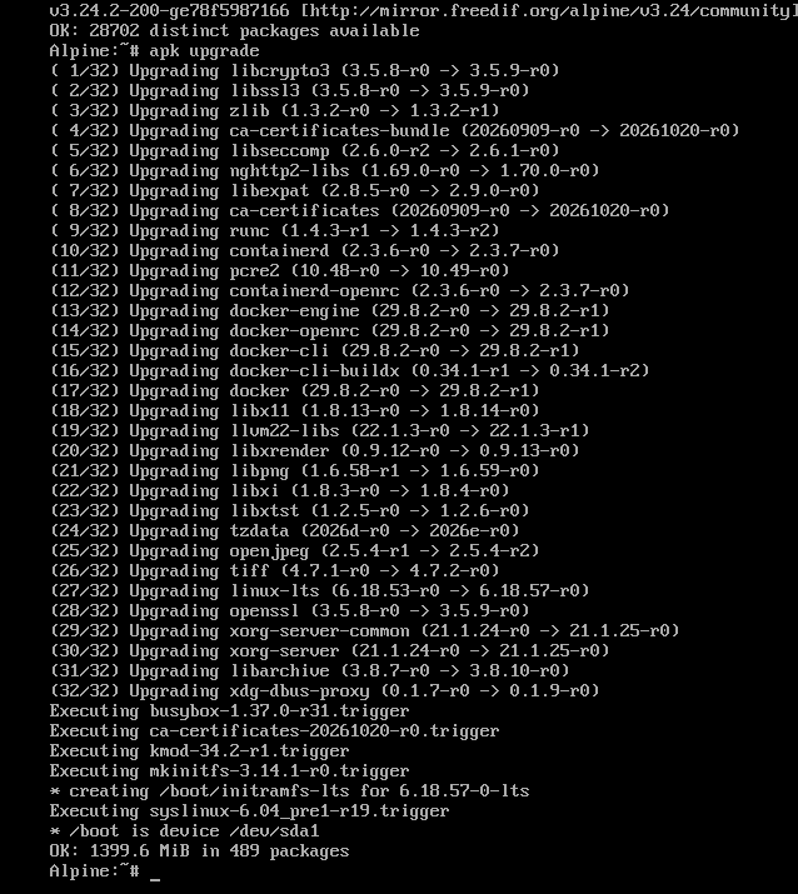
Upgrade packages
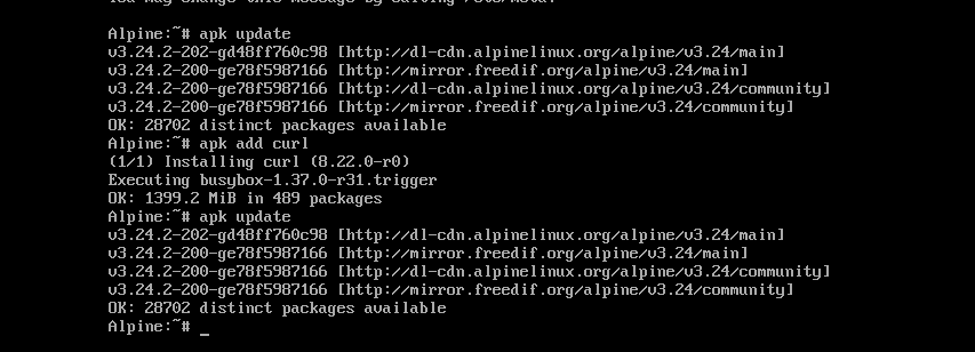
Run this command in your Alpine Linux terminal:
apk update
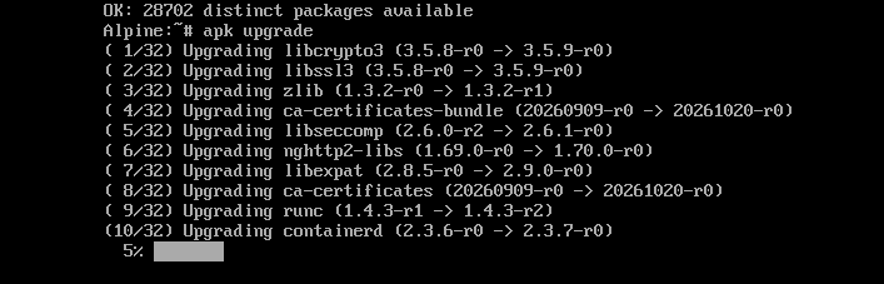
apk upgrade
Verify the result
After the upgrade finishes, check the installed packages
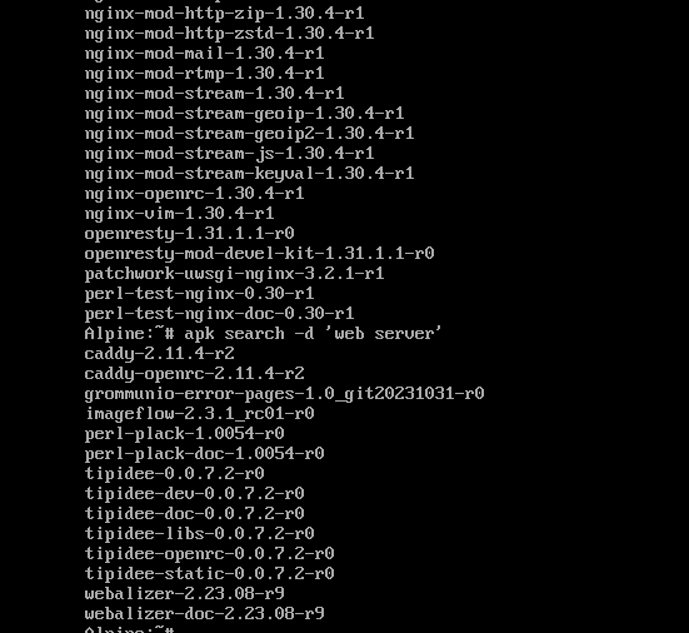
Search for a package
apk search -d ‘web server’
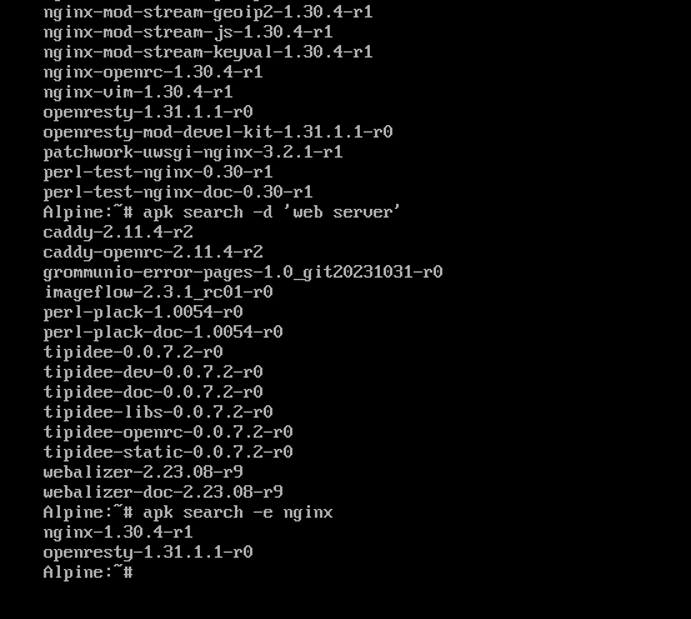
apk search -e nginx
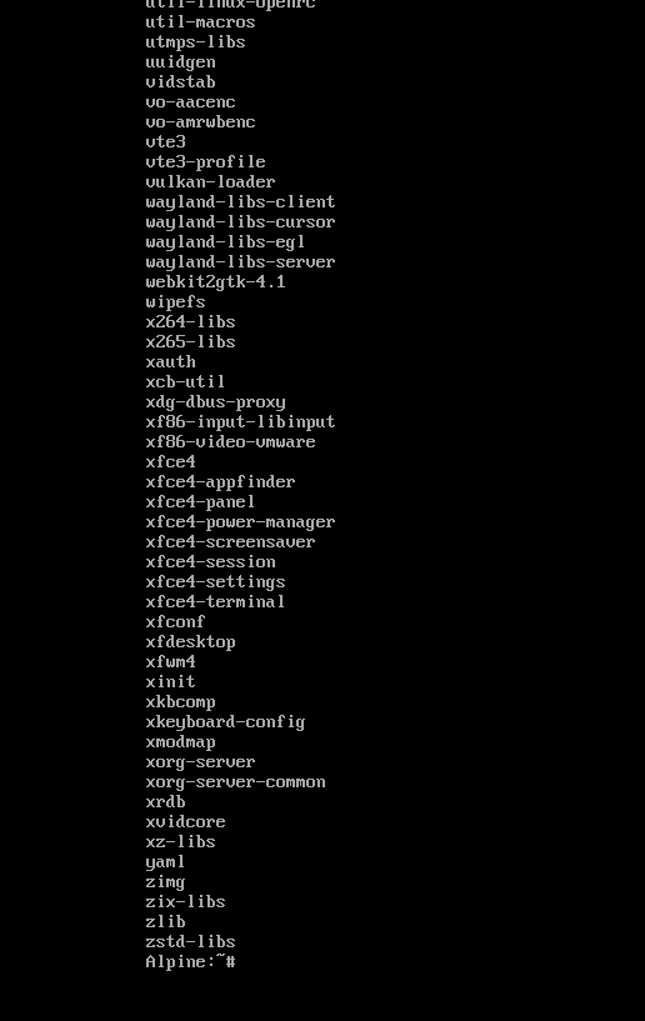
apk info
apk info -a nginx
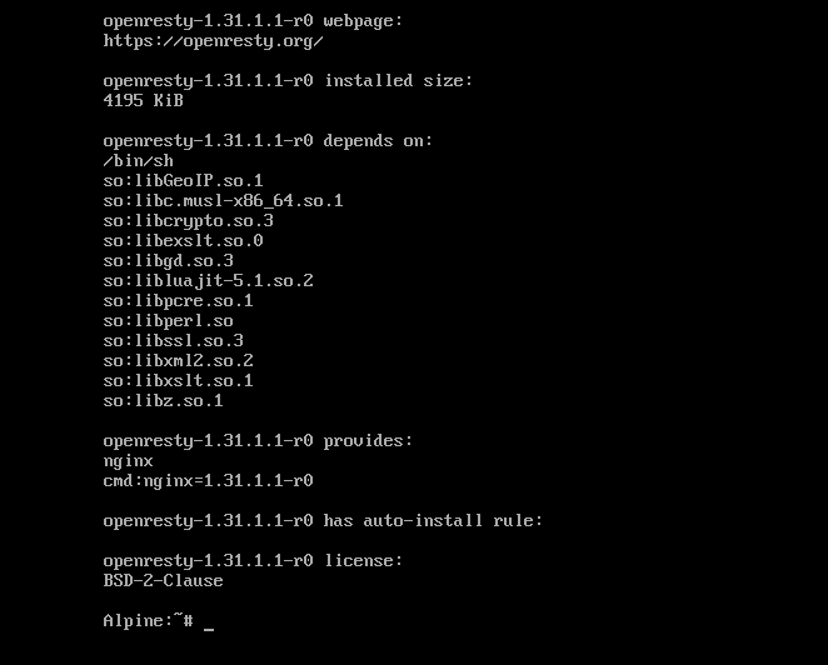
apk info -L nginx
apk add nginx
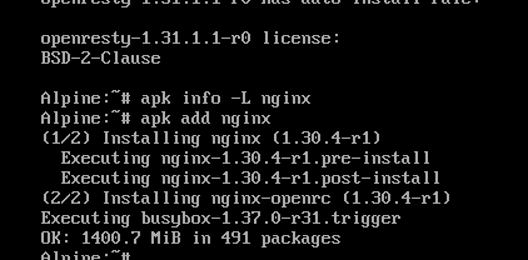
Check repositories
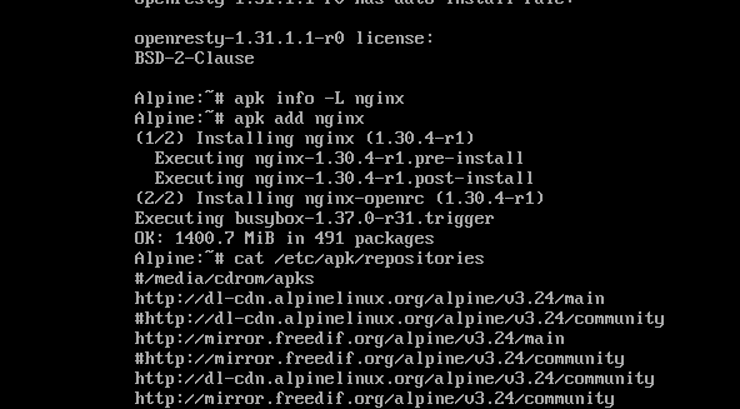
cat /etc/apk/repositories
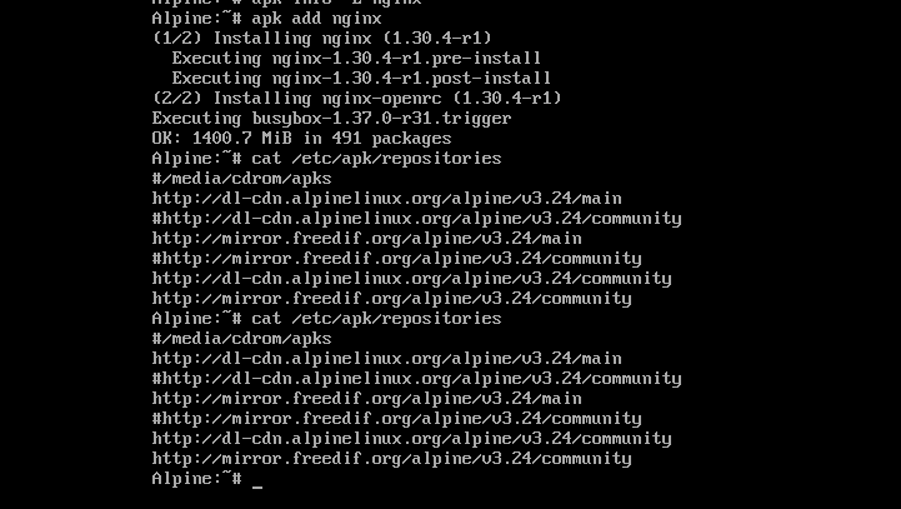
The screenshot shows these repository entries:
| Repository | Purpose |
| /media/cdrom/apks | Local package repository on installation media |
| v3.24/main | Main Alpine package repository |
| v3.24/community | Additional community packages |
| mirror.freedif.org | An alternative mirror for Alpine packages |
The # at the start of a line means that repository entry is commented out, so APK ignores it.
Understanding Package Management in Alpine
Package management involves more than installing applications. It also includes maintaining package information, tracking dependencies, reviewing updates, and ensuring that software comes from compatible sources.
APK provides tools for each of these tasks.
Keeping Package Information Current
APK uses package indexes to learn which software is available from configured repositories. These indexes contain information about package names, versions, and dependencies.
Refreshing the indexes helps identify packages that are currently available through those sources. It’s important to understand that updating package indexes is different from upgrading installed software.
Keeping package information current makes searches more reliable and helps you make informed decisions about software maintenance.
Managing Installed Packages
As your environment grows, it becomes useful to know exactly which packages are installed and what they provide.
APK can display installed package information, helping you check whether a required application is present or investigate which components belong to a particular package.
This information is especially helpful when troubleshooting an application that isn’t working as expected. Instead of guessing which components might be missing, you can inspect the available package details.
Managing Software Updates
Updates can include security fixes, bug fixes, performance improvements, and changes that affect compatibility.
APK provides a convenient way to maintain installed packages, but updates should still be handled carefully. A change that works well on a test machine might affect a production application differently.
For important systems, it’s good practice to review updates and test them before applying them to critical workloads.
Searching for Packages with APK
Finding the right software is an important part of working with Alpine Linux. APK allows you to search configured repositories for packages by name or description.
For example, a search for Nginx may return the main web server package along with additional modules and related components. This is normal because this Linux repositories often include separate packages for optional functionality.
Searching by description is useful when you know what you need a package to do but aren’t sure what it’s called.
When reviewing search results, don’t focus on the package name alone. Consider its purpose, version, compatibility, and whether it provides the functionality your application needs.
It’s also worth checking which repository contains the package. Not every package is available in every repository or for every Alpine release.
Taking a moment to review the results can help you avoid installing unnecessary components and make package management more predictable.
Understanding Repositories
Repositories are the sources that this Linux uses to obtain package information and software. They play an important role in determining which applications and versions are available to your system.
Two commonly used Alpine repository categories are main and community.
The main repository contains core packages supported as part of Alpine’s primary package collection. The community repository provides additional packages maintained by Alpine contributors and community maintainers.
Your repository configuration is normally stored in /etc/apk/repositories. Reviewing this file helps you understand where your system gets its packages.
Repository configuration deserves attention because the release branch matters. An Alpine installation should generally use repositories that match its installed release. Mixing different release branches can cause dependency conflicts or unexpected package upgrades.
You may also see different mirror addresses in the configuration. Mirrors provide alternative locations for downloading packages, but they should be reliable and serve the appropriate Alpine release.
Before changing repository settings, check your installed Alpine version and consult the official documentation. Making unnecessary changes to a working configuration can create problems that are otherwise easy to avoid.
How APK Handles Package Dependencies
Most applications rely on other software to work properly. These supporting components are called dependencies and may include libraries, utilities, or runtime environments.
APK helps manage these relationships when packages are installed, upgraded, or removed. This saves administrators from having to track every required component manually.
Dependencies can be direct or indirect. A direct dependency is required by an application, while an indirect dependency is needed by another component the application uses.
For example, a web server might depend on shared libraries that provide networking or other system functionality. Those libraries may have their own dependencies.
Understanding these relationships is particularly important when removing software. A package that appears unnecessary for one application may still be required by another.
APK also supports virtual packages, which group related packages under a shared name. This is useful when working with build tools and development dependencies that are only needed temporarily.
For container images, managing these dependencies carefully can help reduce unnecessary components in the final environment.
Using APK in Docker and Containers
Linux is widely used in Docker environments because its lightweight design makes it a practical base for many applications.
APK helps developers prepare these environments by managing the software required during builds and runtime.
For example, an application might need compilers and development libraries while it is being built, but only a small set of runtime libraries when it runs. Keeping those requirements separate can reduce the number of components included in the final container image.
Multi-stage Docker builds are one way to achieve this separation. APK’s virtual package functionality can also help organize groups of related dependencies.
It’s important, however, not to remove packages simply because you’re trying to make an image smaller. Some components that look optional during development may be necessary when the application runs.
Container environments also work differently from traditional Linux servers. A service that normally runs under a system service manager may need to run as the container’s foreground process instead.
Understanding these differences helps you use Alpine more effectively in modern deployment environments.
Conclusion
APK makes software management in this Linux straightforward and efficient. It helps users search for packages, inspect installed software, manage dependencies, maintain updates, and work with repositories.
Understanding these features makes it easier to maintain Alpine environments across personal systems, servers, and Docker containers. Just as importantly, knowing how repositories and dependencies work can help prevent common package-management problems.
Whether you’re just getting started or managing applications in production, learning the fundamentals of APK is a practical step toward building a reliable and maintainable Linux environment.
FAQs
Q. What is APK in Linux?
A. APK, or Alpine Package Keeper, is the default package manager in Alpine Linux. It helps manage software packages, dependencies, updates, and repository information.
Q. Why is APK important in Alpine Linux?
A. APK makes it easier to maintain software. It provides a simple way to find packages, inspect installed applications, manage dependencies, and keep software updated.
Q. What is the difference between APK & APT?
A. APK is used by Alpine Linux, while APT is commonly used by Debian and Ubuntu. Both manage software packages, but they use different package formats, repositories, and commands.
Q. What are Linux repositories?
A. Repositories are online or configured package sources that provide software and package information. Alpine commonly organizes packages into the main and community repositories.
Q. Where is the APK repository configuration stored?
A. The repository configuration is normally stored in /etc/apk/repositories. This file lists the sources Alpine uses to retrieve package information and software.
Q. How does APK manage dependencies?
A. APK checks package requirements and manages the relationships between applications and their supporting components. This reduces the need to handle dependencies manually.
Q. Can APK be used in Docker containers?
A. Yes. APK is commonly used in Docker images to manage application dependencies, utilities, and other software required during builds or runtime.
Q. Why might APK report that a package cannot be found?
A. This can happen when package indexes are outdated, the package name is incorrect, or the configured repositories don’t provide that package for your Alpine release.
Q. Is Alpine Linux suitable for production environments?
A. Yes. Alpine can work well in production servers and containers when applications are compatible with its environment and the system is maintained with appropriate security and update practices.
Q. How can I keep Alpine packages secure?
A. Use trusted repositories, keep repository settings compatible with your release, review security updates, test important changes, and install only the software your environment needs.
Discover more from Root Learning
Subscribe to get the latest posts sent to your email.