
Let us know about the process of Aeryn OS installation but before that we should know What is Aeryn OS, what are the origin, core and focus of the OS, what are the functionalities etc. To know let us start the article.
Table of Contents
What is Aeryn OS, Core and Focus?
Aeryn OS is a streamlined Linux distribution that has gained attention as the successor to Serpent OS. It was rebranded and rebuilt to provide a more modern and modular computing experience. At its core, Aeryn OS runs on the Linux Kernel 6.18 LTS (2026 release), which ensures strong compatibility with modern hardware.
The system is designed to be lightweight, modular, and user-centric, offering multiple desktop environments such as GNOME, KDE Plasma, and COSMIC to suit different user preferences.
For those exploring Aeryn OS installation, the system is particularly appealing because it balances simplicity with flexibility. Beginners can follow an Aeryn OS tutorial for beginners to learn how to set up the operating system step by step, while advanced users can customize their installation to create a minimal or full-featured environment.
Whether you want to install Aeryn OS 2026 for daily computing, software development, or experimentation, its modular design makes it a versatile choice that avoids unnecessary bloat and emphasizes performance.
Key Function of Aeryn OS
Aeryn OS is designed to serve multiple functions, making it a versatile operating system for both beginners and advanced users. For daily computing, it provides smooth performance for web browsing, office productivity, multimedia playback, and even gaming. Its system is optimized for fast boot times and responsive performance, which makes the Aeryn OS installation appealing to users who want efficiency right from the start.
As a development platform, Aeryn OS offers a clean environment for programmers, equipped with modern packaging tools. It supports containerized builds and reproducible software environments, which is especially useful for developers who want consistency across projects. This makes install Aeryn OS 2026 a smart choice for those working in software development or testing environments.
Another key strength is customization and modularity. Users can install only the components they need, avoiding unnecessary bloat. Its flexible package management system ensures efficiency and control, which is highlighted in many Aeryn OS tutorial for beginners guides that show how to tailor the system to personal preferences.
Security and updates are also central functions. Aeryn OS follows a rolling release model, ensuring that users always have the latest software. It emphasizes secure boot, sandboxing, and application isolation, giving peace of mind to those concerned about system safety.
Finally, the community and contribution aspect makes Aeryn OS stand out. It is an open-source project with active forums and documentation, encouraging users to contribute to packaging, bug fixes, and new features. This collaborative spirit ensures that anyone who completes an Aeryn OS installation can also become part of a growing ecosystem.
What Are the Benefits of Using Aeryn OS?
Aeryn OS is built for efficiency, offering fast boot times and smooth responsiveness. Its lightweight design ensures older hardware runs well, while modern systems achieve maximum performance.
It provides a clean and reliable platform for developers. With modern packaging tools, containerized builds, and reproducible environments, Aeryn OS makes coding and testing more consistent.
Aeryn OS uses a rolling release model to keep software up to date. It emphasizes secure boot, sandboxing, and application isolation, ensuring strong protection and system stability.
The modular approach lets users install only what they need, avoiding unnecessary bloat. Beginners can keep things simple, while advanced users fine-tune their setup for maximum control.
As an open-source project, Aeryn OS thrives on community involvement. Users benefit from active forums and documentation, while contributing to packaging, bug fixes, and new features.
Installation Guidelines of Aeryn OS in VMware
The Guide for Aeryn OS Installation in VMware is as follows:
Step 1: To download the iso file of Aeryn OS Download | AerynOS
Step 2: Open your VMware Workstation
Step 3: Click on New Virtual Machine to start the process of Aeryn OS installation and click Next.
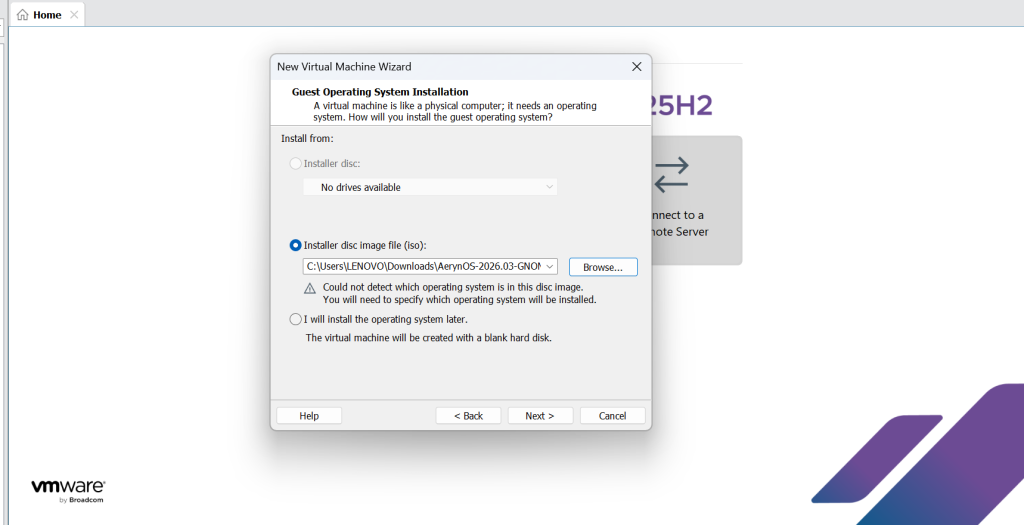
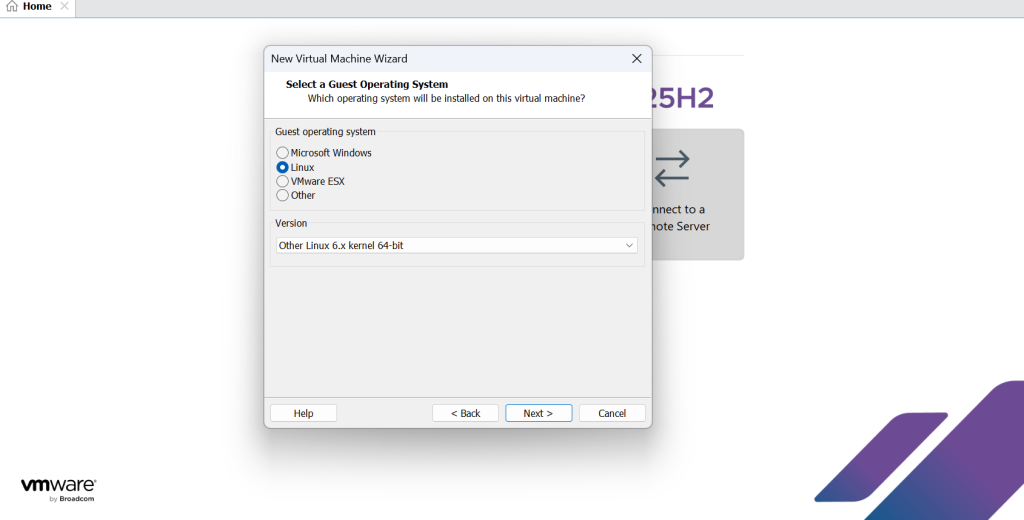
Step 4: Select the Guest Operating System as Linux and select maximum updated version in the box and click on Next.
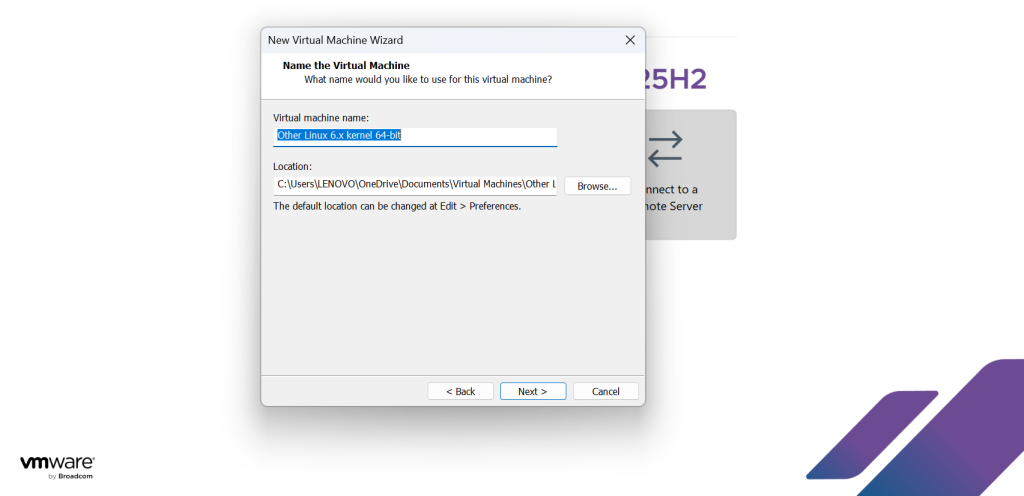
Step 5: Select the VM name and rename as per your wish and click on Next.
Step 6: For Aeryn OS installation, the minimum disk size should be 8GB and select the option Store virtual disk as a single file and click on Next.
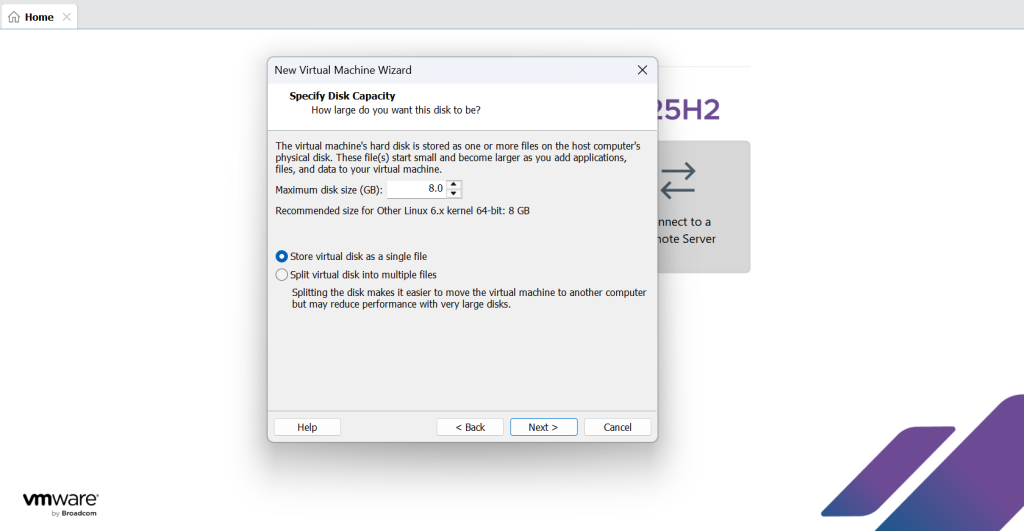
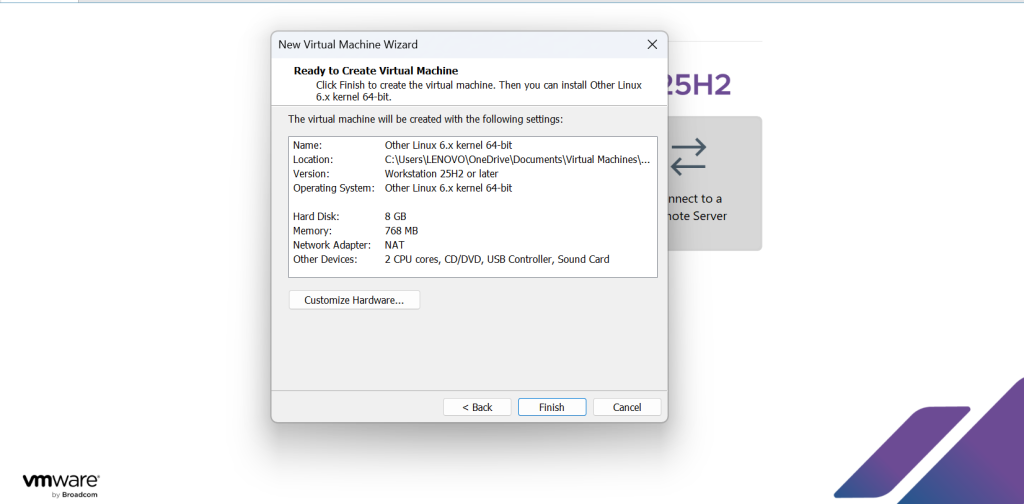
Step 7: After the completion of Step 6, click on Finish. Your Aeryn OS installation is finished in VMware workstation.
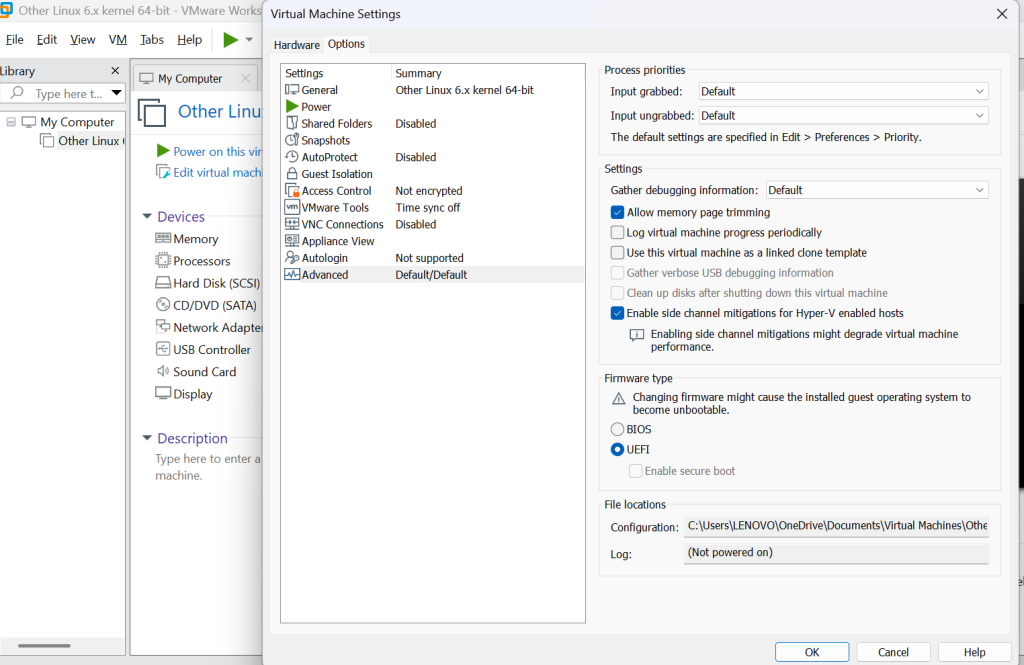
Step 8: Before starting the OS in VMware, if you face any difficulty in booting OS, please follow the steps. Click on Virtual Machine Settings -> Choose Options -> Click on Advance -> Change the Firmware type from BIOS to UEFI.
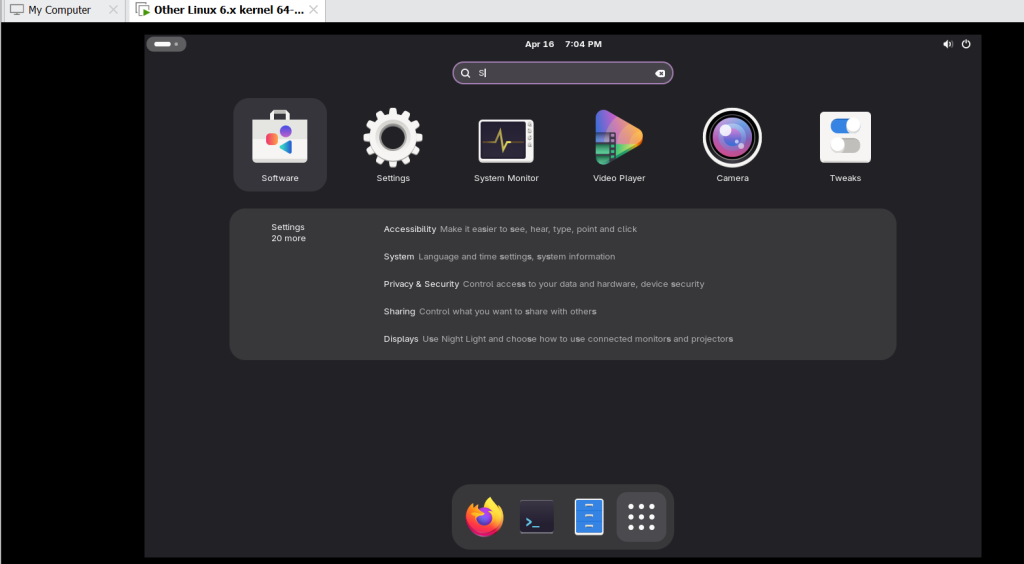
Step 9: After completion of Aeryn OS installation in VMware, Click on Power ON, and then your OS will be ready for boot.
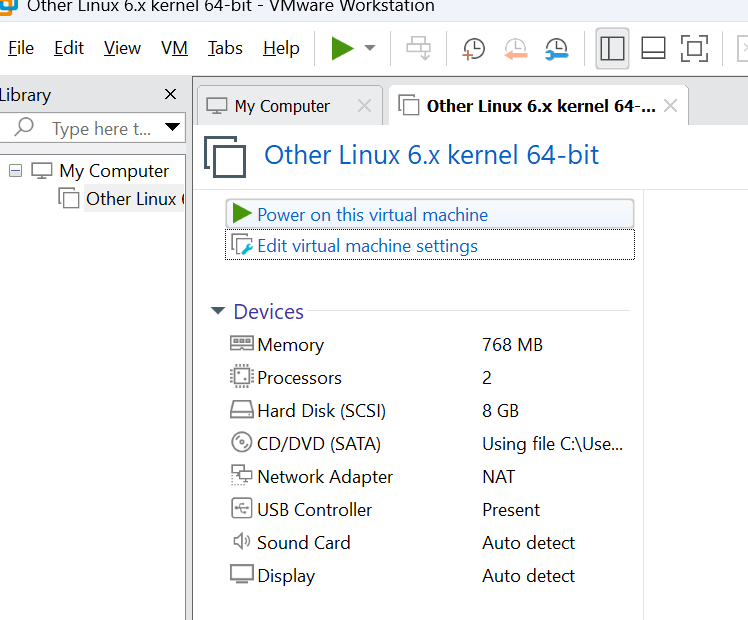
Step 10: It will take for approx. 15-20 mins for booting, after that the OS will be ready to use in your VMware Workstation.
And the Aeryn OS Installation is completed and ready to use.
FAQs
What is Aeryn OS?
Aeryn OS is a modern Linux distribution, successor to Serpent OS, built for speed, modularity, and flexibility.
Is Aeryn OS free to use?
Yes, it is completely open-source and free to download, install, and customize.
What hardware does Aeryn OS support?
It runs on Linux Kernel 6.18 LTS, ensuring compatibility with most modern hardware and decent support for older systems.
Can beginners install Aeryn OS easily?
Yes, with step-by-step guides and tutorials, beginners can follow the Aeryn OS installation process without difficulty.
Which desktop environments are available?
You can choose GNOME, KDE Plasma, or COSMIC depending on your preference.
Is Aeryn OS good for developers?
Absolutely. It supports containerized builds, reproducible environments, and modern packaging tools.
Can I dual-boot Aeryn OS with another OS?
Yes, you can install Aeryn OS alongside Windows or another Linux distribution, provided you partition your disk carefully.
Discover more from Root Learning
Subscribe to get the latest posts sent to your email.