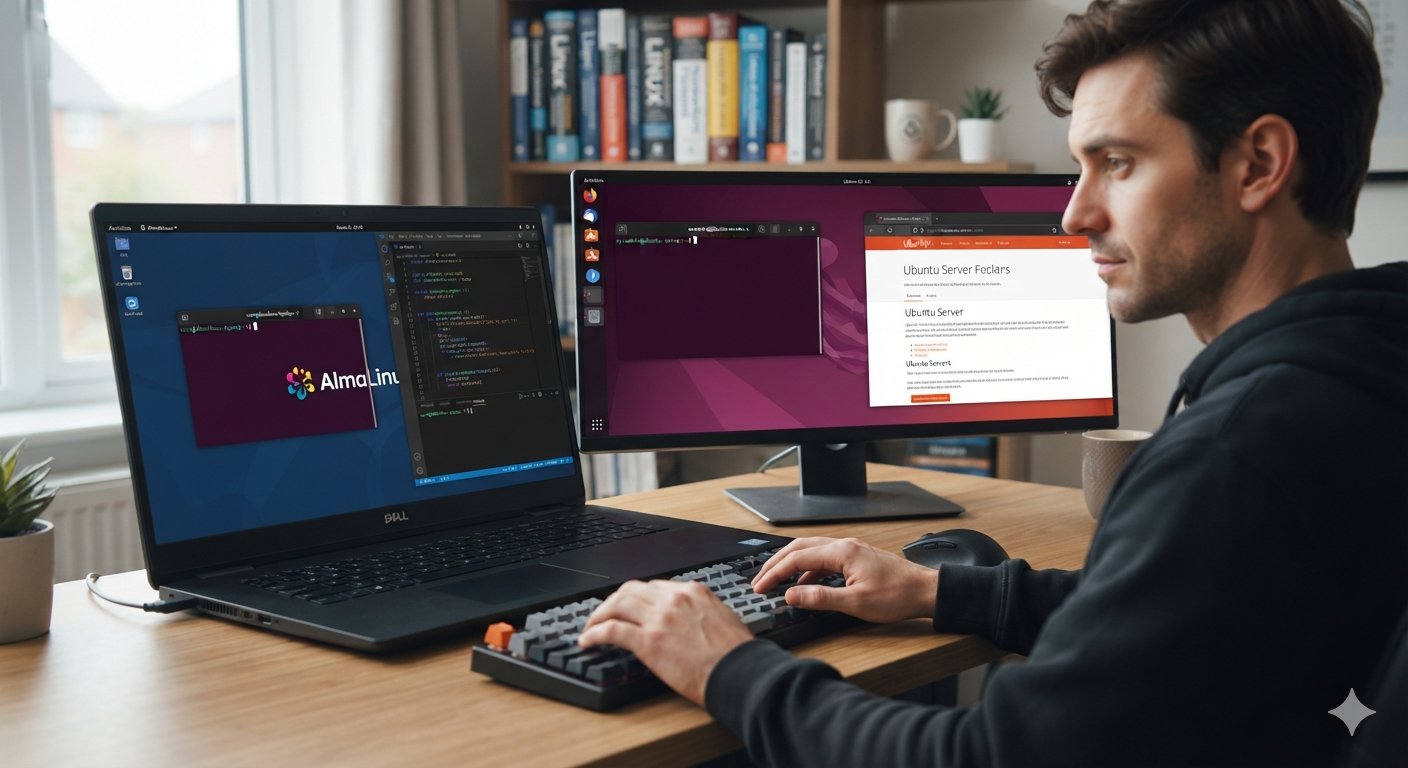
Many developers, students, and system administrators work on dual systems, which means using two Linux systems side by side. A common pairing is AlmaLinux (from the Red Hat Enterprise Linux family) and Ubuntu (from the Debian family). One may be installed alongside the other on a laptop, or you may use one on your machine and meet the other on servers and virtual machines. Either way, you are running dual systems.
The good news is that 80% of Linux is the same on both. The shell, file system layout, permissions, systemd, SSH, and most command-line tools behave identically. The remaining 20% is where time gets lost: package managers, firewalls, network configuration, and security layers. This guide shows you how to fast track your work on dual systems by learning the common ground first and then the differences.
Table of Contents
1. Know Which of Your Dual Systems You Are On
Before you run anything, confirm where you are. On dual systems, this takes five seconds and prevents most mistakes.
cat /etc/os-release
uname -m
hostnamectl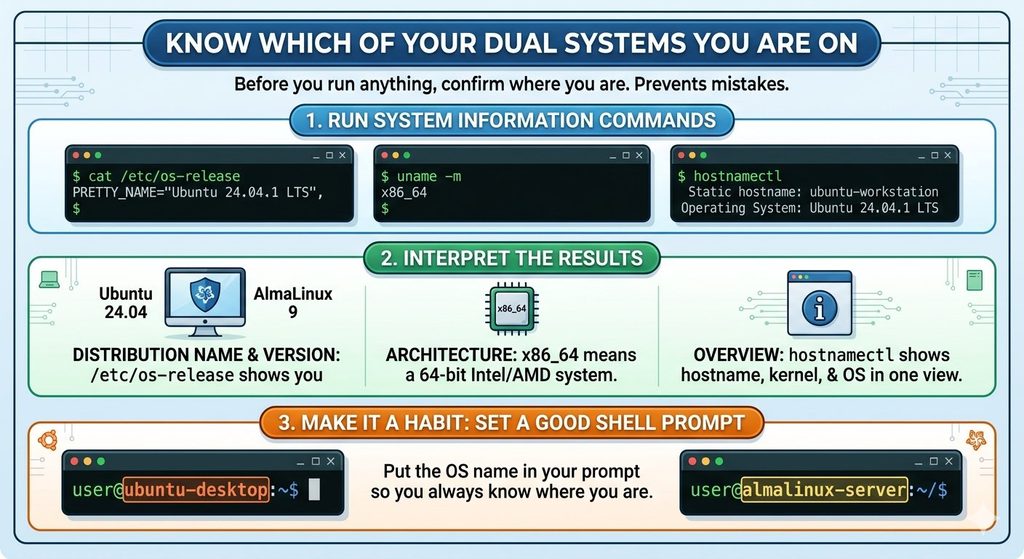
cat /etc/os-releaseshows the distribution name and version (for example, Ubuntu 24.04 or AlmaLinux 9).uname -mshows the architecture.x86_64means a 64-bit Intel/AMD system.hostnamectlshows the hostname, kernel, and OS in one view.
A good habit is to put the OS name in your shell prompt, so you never run an Ubuntu command on AlmaLinux by accident.
2. Package Management on Dual Systems: The Biggest Difference
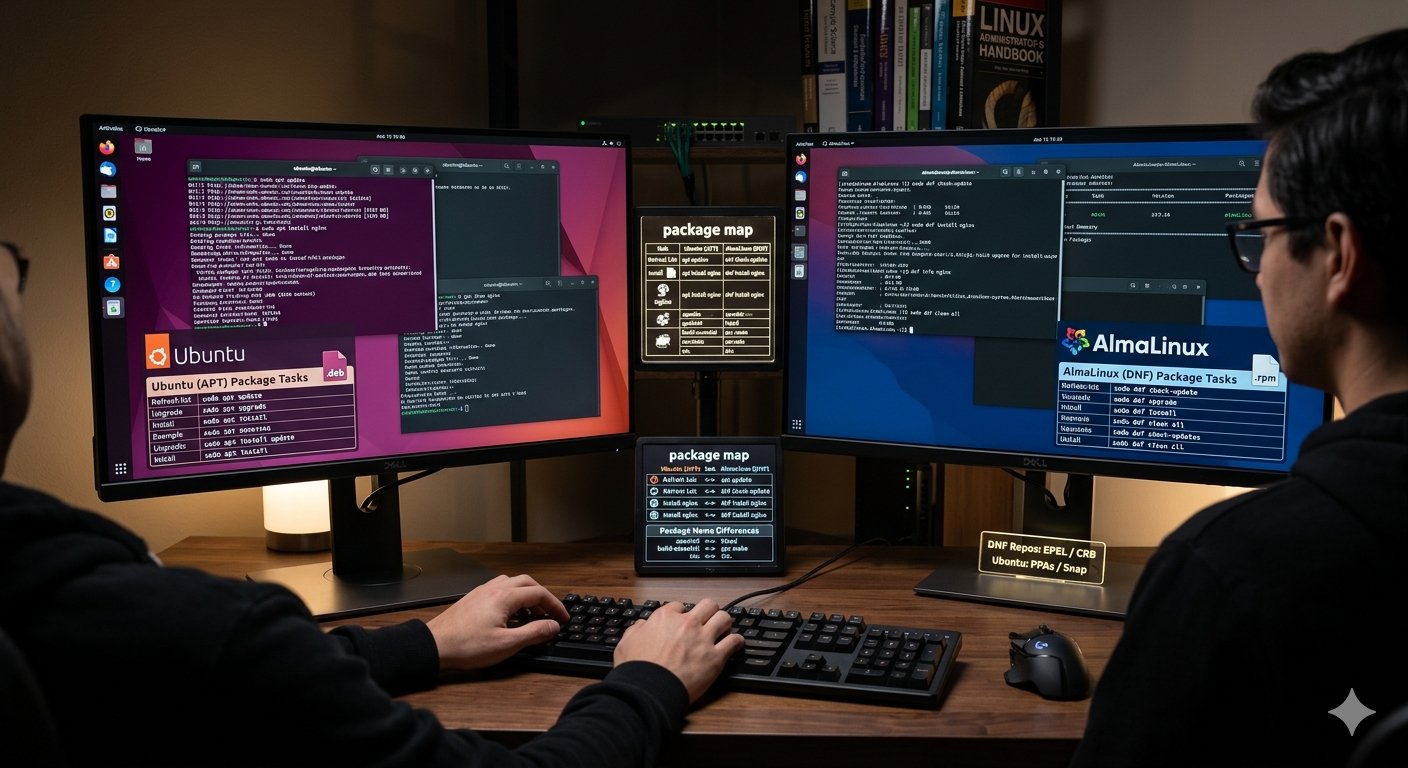
Ubuntu uses APT (apt, dpkg) with .deb packages. AlmaLinux uses DNF (dnf, rpm) with .rpm packages. When you manage dual systems, the ideas are the same, only the words change.
| Task | Ubuntu (APT) | AlmaLinux (DNF) |
|---|---|---|
| Refresh package lists | sudo apt update | sudo dnf check-update |
| Upgrade all packages | sudo apt upgrade | sudo dnf upgrade |
| Install a package | sudo apt install nginx | sudo dnf install nginx |
| Remove a package | sudo apt remove nginx | sudo dnf remove nginx |
| Search for a package | apt search nginx | dnf search nginx |
| Show package details | apt show nginx | dnf info nginx |
| List installed packages | apt list --installed | dnf list installed |
| Which package owns a file | dpkg -S /usr/bin/ssh | rpm -qf /usr/bin/ssh |
| Clean the cache | sudo apt clean | sudo dnf clean all |
Package names are not always the same
The same software often has a different package name on each system. Keep this short list handy:
| Software | Ubuntu | AlmaLinux |
|---|---|---|
| Apache web server | apache2 | httpd |
| Compiler toolchain | build-essential | gcc make or the “Development Tools” group |
| Python headers | python3-dev | python3-devel |
| OpenSSL headers | libssl-dev | openssl-devel |
| Firewall tool | ufw | firewalld |
Extra repositories
AlmaLinux ships a lean base. For extra software, install EPEL (Extra Packages for Enterprise Linux):
sudo dnf install epel-releaseSome development packages live in the CRB repository, which you can enable with sudo dnf config-manager --set-enabled crb (on AlmaLinux 9).
On Ubuntu, extra software usually comes from PPAs or Snap packages. Use them carefully and only from sources you trust.
3. Service Management Is Identical
Both systems use systemd, so this part of dual systems is easy. You learn it once and use it everywhere.
sudo systemctl start nginx
sudo systemctl stop nginx
sudo systemctl restart nginx
sudo systemctl enable nginx      # start at boot
sudo systemctl status nginx
systemctl list-units --type=service --state=running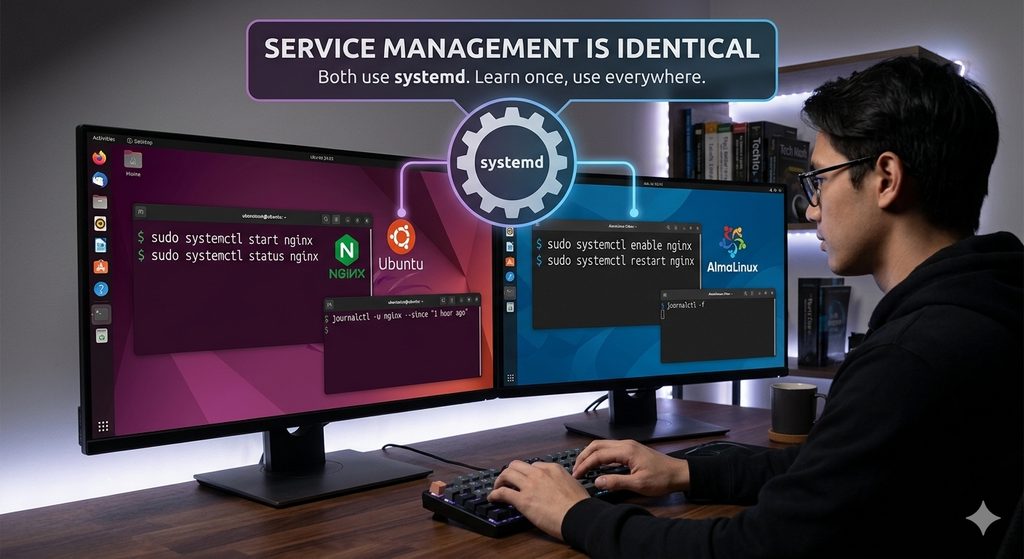
For logs, use journalctl:
journalctl -u nginx --since "1 hour ago"
journalctl -xe
journalctl -f                    # follow logs live
If a service fails to start, the sequence is always the same: check systemctl status, then read journalctl -u <service>.
4. Users, Groups, and Sudo
Dual systems use the same commands to add users and manage permissions. The one difference is the administrator group:
- On Ubuntu, members of the
sudogroup can use sudo. - On AlmaLinux, members of the
wheelgroup can use sudo.
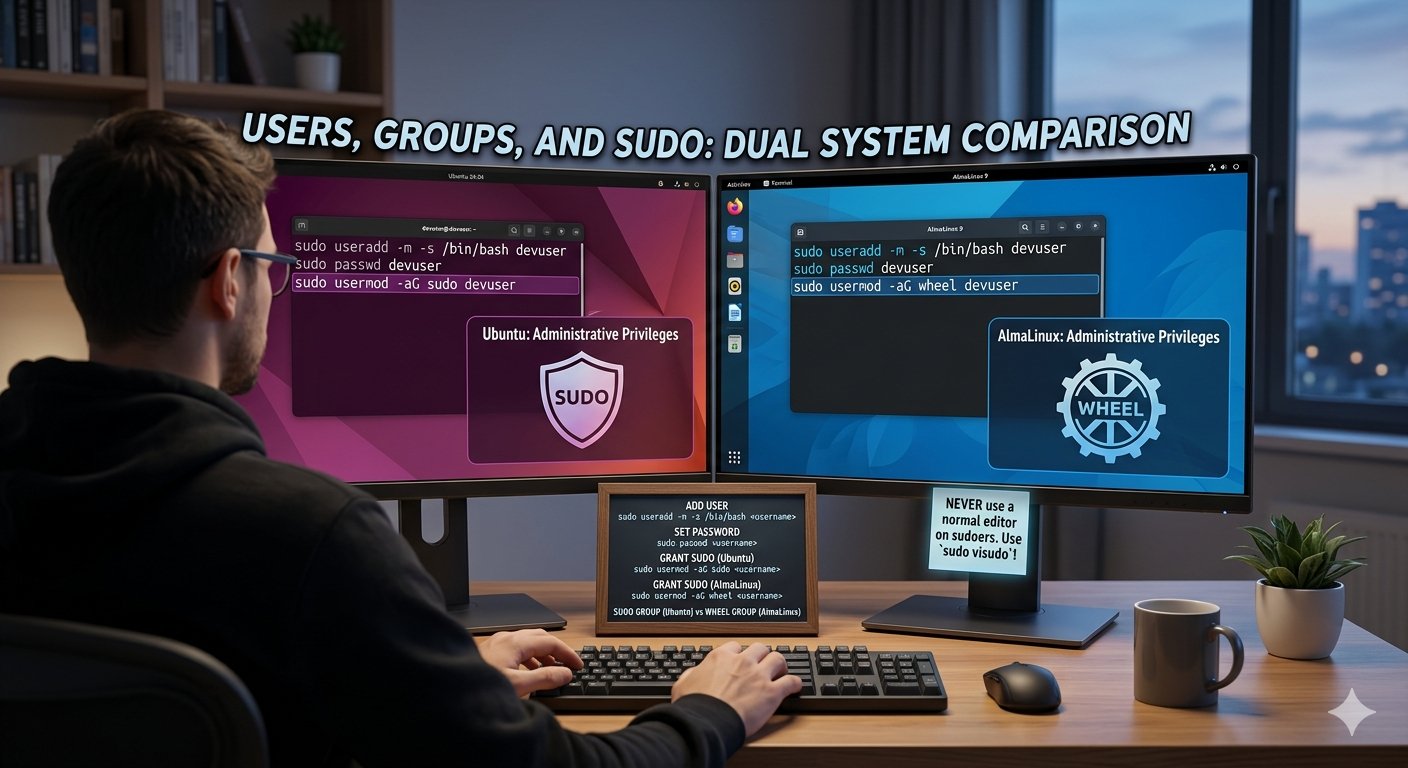
sudo useradd -m -s /bin/bash devuser
sudo passwd devuser
sudo usermod -aG sudo devuser      # Ubuntu
sudo usermod -aG wheel devuser     # AlmaLinux
Always edit the sudoers file with sudo visudo, never with a normal editor. A mistake in that file can lock you out.
5. Networking on Dual Systems
Network configuration differs more than most people expect.
- Ubuntu uses Netplan. Configuration files are YAML files in
/etc/netplan/, and you apply changes withsudo netplan apply. - AlmaLinux uses NetworkManager. You manage connections with
nmcli.
Commands that work on both:
ip a                  # show IP addresses
ip route              # show routes
ss -tulpn             # show listening ports
ping -c 4 8.8.8.8     # test connectivity
curl -I https://example.com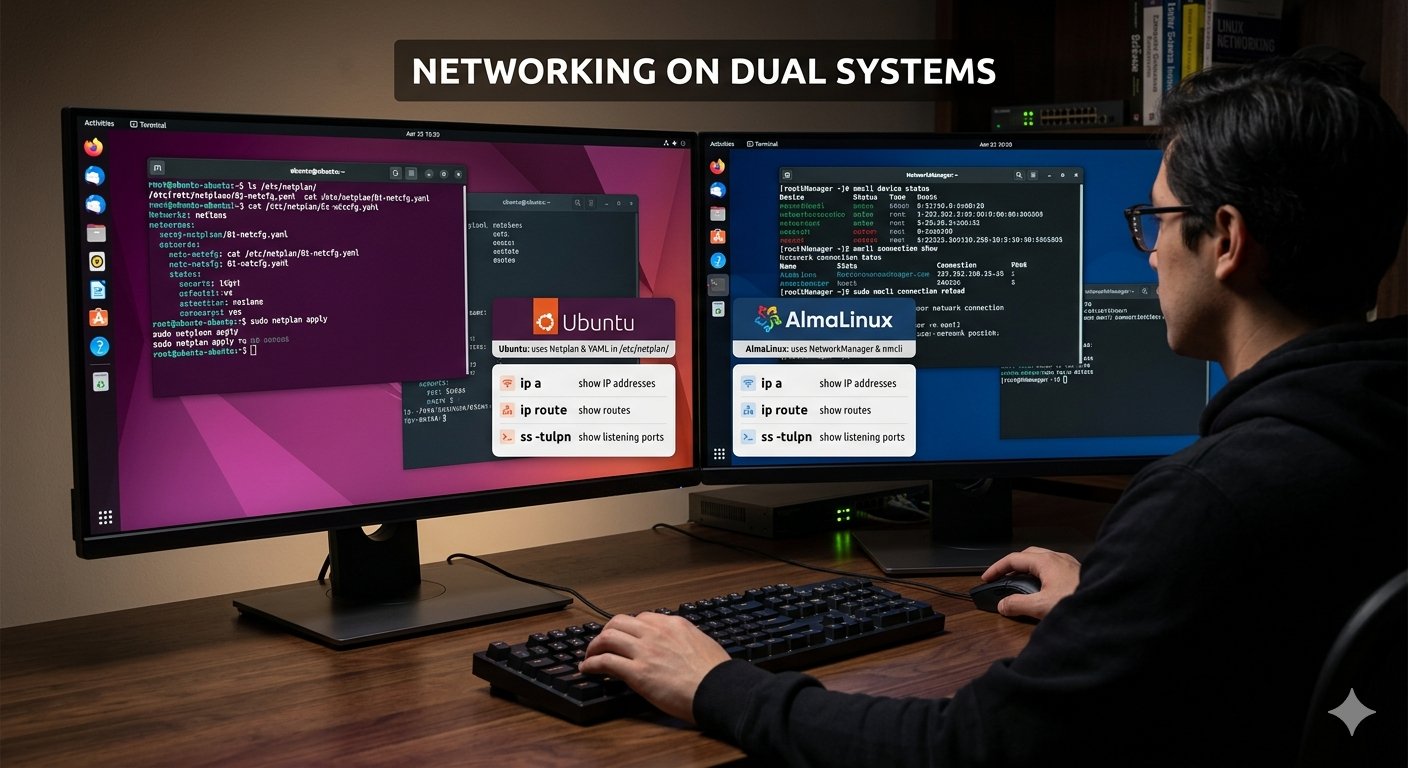
Useful AlmaLinux examples:
nmcli device status
nmcli connection show
sudo nmcli connection reload
A tip: use ss -tulpn first whenever “the website is not opening.” It tells you whether the service is listening at all before you start blaming the firewall.
6. Firewalls on Dual Systems: UFW vs firewalld
Ubuntu usually uses UFW, and AlmaLinux uses firewalld. Both manage the kernel firewall for you.
Ubuntu (UFW)
sudo ufw allow OpenSSH
sudo ufw allow 80/tcp
sudo ufw enable
sudo ufw status verbose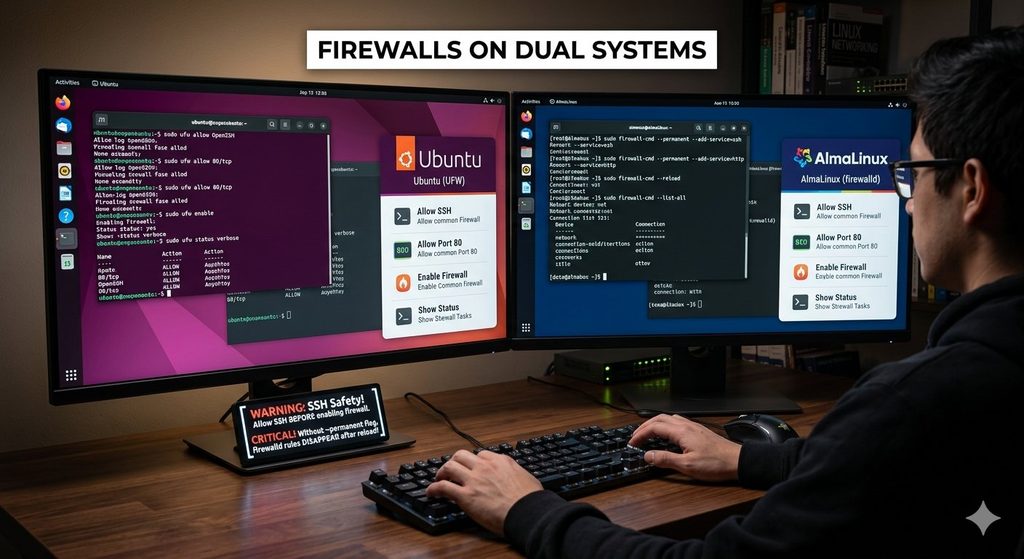
AlmaLinux (firewalld)
sudo firewall-cmd --permanent --add-service=ssh
sudo firewall-cmd --permanent --add-service=http
sudo firewall-cmd --reload
sudo firewall-cmd --list-all
Warning: When you work over SSH, always allow SSH before enabling a firewall. Otherwise you can lock yourself out of a remote machine.
Without the --permanent flag, firewalld rules disappear after a reload or reboot. This is a very common surprise.
7. Security Layers in Dual Systems: AppArmor vs SELinux
Ubuntu ships with AppArmor. AlmaLinux ships with SELinux, which is enabled by default and is stricter.
Check the current state:
sudo aa-status          # Ubuntu
getenforce              # AlmaLinux
A very common issue on AlmaLinux: your web server cannot read a folder even though Unix permissions look correct. SELinux is usually the reason. Do not just switch SELinux off. Instead:
sudo ausearch -m avc -ts recent       # see recent denials
ls -Z /var/www/html                   # see file contexts
sudo restorecon -Rv /var/www/html     # fix contexts
Using sudo setenforce 0 switches SELinux to permissive mode temporarily and is fine for testing. Permanent disabling is not good practice on a production system.
8. Everyday Commands That Save Time
These work the same across dual systems and make up most of your daily work.
ls -lah                      # list files with sizes
cd -                         # jump to the previous directory
find /var/log -name "*.log"  # find files by name
grep -rn "error" /var/log/   # search text recursively
df -h                        # disk space
du -sh *                     # folder sizes
free -h                      # memory
top                          # live processes (or htop if installed)
tail -f /var/log/syslog      # follow a log (Ubuntu)
history | grep ssh           # search your command history
For files and remote work:
scp file.txt user@server:/tmp/
rsync -avz ./project/ user@server:/home/user/project/
ssh-keygen -t ed25519
ssh-copy-id user@server
Using SSH keys instead of passwords is faster and safer. Add hosts to ~/.ssh/config so you can type ssh myserver instead of a long command.
9. Build One Shared Shell Setup for Dual Systems
You save the most time on dual systems by making both feel the same. Keep your dotfiles (.bashrc, .vimrc, .tmux.conf) in a Git repository and clone them on every machine.
Then add aliases that hide the differences:
if [ -f /etc/os-release ]; then
  . /etc/os-release
fi

case "$ID" in
  ubuntu|debian)
    alias update='sudo apt update && sudo apt upgrade -y'
    alias install='sudo apt install'
    ;;
  almalinux|rocky|rhel|centos)
    alias update='sudo dnf upgrade -y'
    alias install='sudo dnf install'
    ;;
esac
Now update and install do the right thing on whichever system you are on. Also learn tmux, which lets you keep sessions alive and split your terminal, whichever machine you are using.
10. Scheduling and Automation
Use cron or systemd timers for repeated jobs on dual systems. Both systems support them.
crontab -e
# Run a backup script every day at 2:30 AM
30 2 * * * /home/user/backup.sh
For automatic security updates:
- Ubuntu: install and configure
unattended-upgrades. - AlmaLinux: install and configure
dnf-automatic.
Always test your script manually before you schedule it.
11. Notes for Dual-Boot Laptops and Dual Systems
If your dual systems are installed on the same laptop and you pick one at startup, the GRUB boot loader controls the menu.
- On Ubuntu, regenerate the menu with
sudo update-grub. - On AlmaLinux, use
sudo grub2-mkconfig -o /boot/grub2/grub.cfg.
Before you resize partitions, edit GRUB, or install a second OS, back up your important files and note your partition layout with lsblk. Mistakes in this area can make a machine unbootable. If you do not need bare-metal performance, virtual machines (VirtualBox, KVM) or containers are a safer way to run two systems.
12. A Quick Troubleshooting Routine
When something breaks, follow the same short routine on either system:
- Is the service running?
systemctl status <service> - What do the logs say?
journalctl -u <service> -e - Is it listening?
ss -tulpn - Is the firewall blocking it?
ufw statusorfirewall-cmd --list-all - Is a security layer blocking it? Check AppArmor or SELinux.
- Are permissions and ownership correct?
ls -landls -Z - Is there disk space?
df -h
Working in this order solves most problems in a few minutes.
Conclusion
Working on dual systems is not twice the work. Learn the shared foundation once: systemd, SSH, file permissions, and core commands. Then learn the small set of differences: APT vs DNF, UFW vs firewalld, Netplan vs NetworkManager, and AppArmor vs SELinux. Add a shared shell configuration and a repeatable troubleshooting routine, and you can manage dual systems with confidence and move between Ubuntu and AlmaLinux quickly.
Frequently Asked Questions (FAQs)
1. What is the main difference between Ubuntu and AlmaLinux?
Ubuntu is Debian-based and uses APT with .deb packages. AlmaLinux is a free, community-driven, RHEL-compatible distribution and uses DNF with .rpm packages. Ubuntu moves faster with newer software, while AlmaLinux focuses on long-term stability.
2. Which package manager commands should I learn first?
Learn install, remove, update, upgrade, search, and info on both. These six commands cover most daily needs: apt on Ubuntu and dnf on AlmaLinux.
3. How do I check my Linux version and whether it is 64-bit?
Run cat /etc/os-release for the version and uname -m. If the result is x86_64, your system is 64-bit.
4. Why does my service work on Ubuntu but not on AlmaLinux?
The most common reasons are a different package name, a firewalld rule missing, or SELinux blocking access. Check journalctl, the firewall, and ausearch -m avc -ts recent.
5. Should I disable SELinux to make things work?
No. Use permissive mode (setenforce 0) only for short testing to confirm SELinux is the cause. Then fix the real issue with restorecon or the correct SELinux boolean or context. Permanent disabling reduces security.
6. Can I use apt commands on AlmaLinux or dnf commands on Ubuntu?
No. Each system uses its own package format and tools. You can create shell aliases that give the same short command on both, but the real tool underneath is different.
7. How do I give a user admin rights on each system?
Add the user to the sudo group on Ubuntu or the wheel group on AlmaLinux with usermod -aG.
8. Why do my firewalld rules disappear after a reboot?
You probably added them without --permanent. Add the rule with --permanent, then run sudo firewall-cmd --reload.
9. How do I install software that is not in the default repositories?
On AlmaLinux, enable EPEL with sudo dnf install epel-release. On Ubuntu, use a trusted PPA, an official vendor repository, or Snap. Always verify the source.
10. What is the easiest way to keep my settings the same across dual systems?
Store your dotfiles in a Git repository, clone it on each machine, and use an OS-detection block in .bashrc to set the right aliases.
11. Is dual booting safe for beginners?
It is safe if you prepare. Back up your data, check your partition layout with lsblk, and follow the installer carefully. Virtual machines are a lower-risk alternative for learning.
12. How do I fix the GRUB menu if one OS is missing?
On Ubuntu run sudo update-grub. On AlmaLinux run sudo grub2-mkconfig -o /boot/grub2/grub.cfg. Make sure the other OS partition is detected and mounted properly first.
13. How do I see why a service failed to start?
Run systemctl status <service> and then journalctl -u <service> -e. The logs usually name the exact error.
14. Which system is better for learning Linux?
Both are good, and dual systems let you learn both. Ubuntu has a large community and many tutorials, so it is beginner-friendly. AlmaLinux teaches enterprise-style administration, including SELinux and firewalld, which is valuable for server careers. Learning both gives you the widest skills.
15. What are dual systems in Linux?
Dual systems means using two operating systems side by side. In this guide, it refers to running AlmaLinux and Ubuntu together, either dual-booted on one laptop, in virtual machines, or on a laptop and a server.
16. How can I fast track my work on dual systems?
Learn the shared tools first (systemd, SSH, permissions, core commands). Then memorize the few differences, such as APT vs DNF and UFW vs firewalld, and use shared dotfiles and aliases so the same short commands work on both.
17. Do dual systems slow down my laptop?
A dual-boot setup does not slow either system, because only one runs at a time. If you run dual systems as virtual machines at the same time, they share your RAM and CPU, so a laptop with limited memory may feel slower.
18. Is dual boot or a virtual machine better for dual systems?
Dual boot gives full hardware performance but carries more risk during partitioning. Virtual machines are safer and let you switch instantly, which is better for learning and testing.
Discover more from Root Learning
Subscribe to get the latest posts sent to your email.