Introduction
Amazon API Gateway and AWS Lambda are two important services that work together to create serverless applications and APIs. Amazon Web Services (AWS) provides several cloud services that help developers build and deploy applications without managing all the underlying infrastructure.
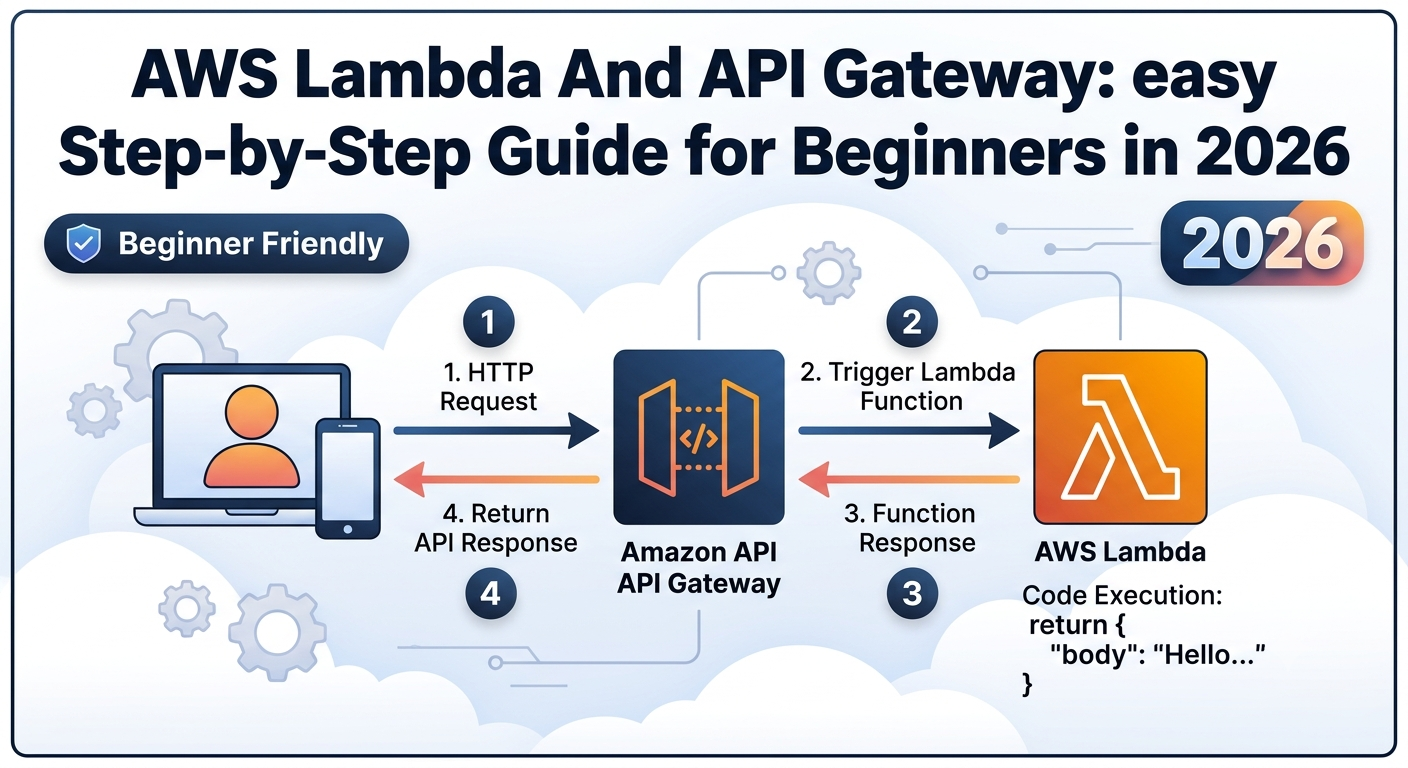
Amazon API Gateway allows applications to communicate with backend services through HTTP endpoints. AWS Lambda runs code in response to events without requiring users to manage servers. When these services are integrated, API Gateway can receive an HTTP request, invoke a Lambda function, and return the function’s response to the client.
What Is Amazon API Gateway?
Amazon API Gateway is a managed AWS service used to create, publish, maintain, monitor, and secure APIs.
API Gateway supports different API types, including HTTP APIs, REST APIs, and WebSocket APIs.
Key features include:
- Creating HTTP endpoints for applications.
- Routing requests to the appropriate backend integration.
- Connecting APIs to AWS Lambda functions.
- Supporting authorization and access control.
- Monitoring API activity through supported AWS monitoring services.
What Is AWS Lambda?
AWS Lambda is a serverless compute service that runs code in response to events. Instead of provisioning and maintaining a server, users upload code as a function and configure the events that invoke it.
AWS Lambda function contains the application logic required to process an event and generate a response.
Important features include:
- Running code without managing servers.
- Supporting multiple programming languages and runtimes.
- Scaling automatically according to supported workloads.
- Charging based on applicable requests and compute usage, subject to service pricing and free-tier eligibility.
How API Gateway and AWS Lambda Work Together
- A client sends an HTTP request to an API endpoint.
- API Gateway invokes the configured Lambda function.
- API Gateway returns the response to the client.
Prerequisites
Before starting, make sure you have:
- An active AWS account.
- Access to the AWS Management Console.
AWS permissions and service availability depend on the account configuration.
Step 1: Create a Lambda Function
First, create the backend function that will process requests from API Gateway.
- Sign in to the AWS Management Console.
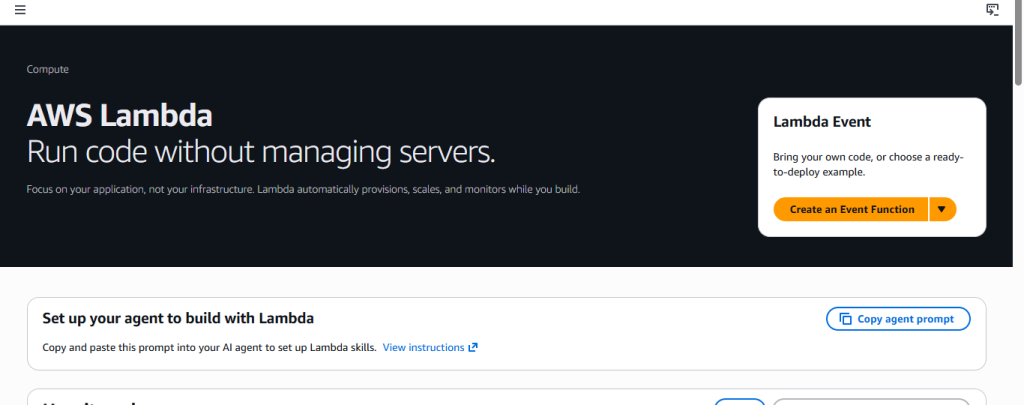
- Open the AWS Lambda service.
- Select Create function.
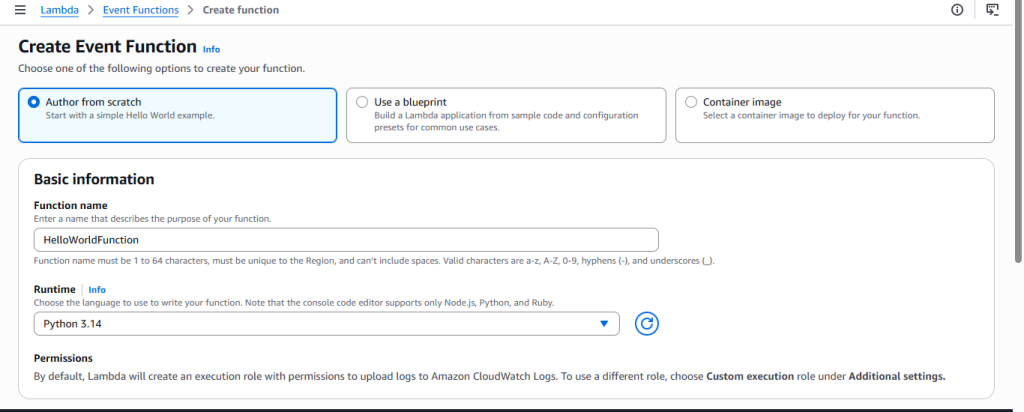
- Choose Author from scratch.
- Enter a function name, such as HelloWorldFunction.
- Select a supported runtime, such as Python, if available and appropriate for your project.
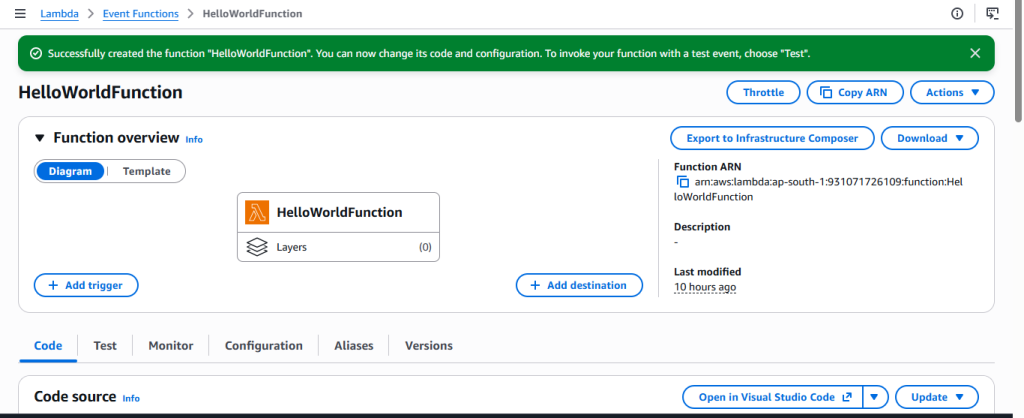
- Select Create function.
AWS creates the function and opens its configuration page.
Configure the Lambda Code
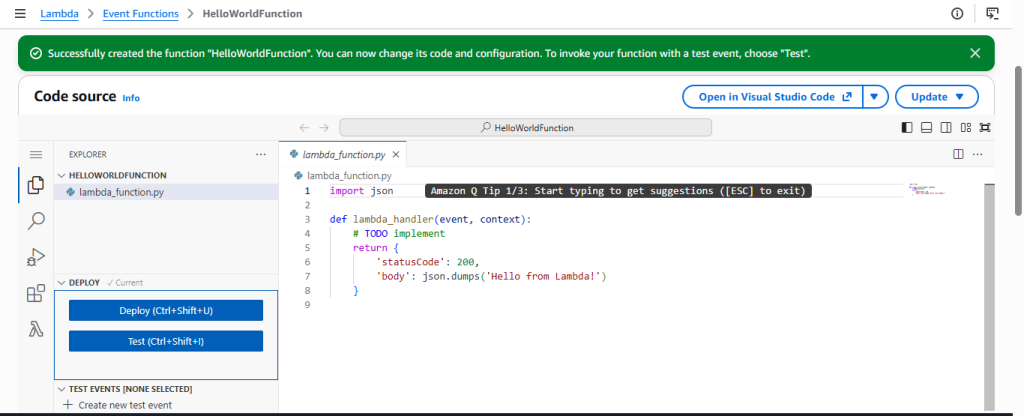
- Open the function’s code editor.
- Locate the main function file.
For a Python Lambda function, the code can be:
import json
def lambda_handler(event, context):
return {
“statusCode”: 200,
“headers”: {
“Content-Type”: “text/plain”
},
“body”: “Hello from AWS Lambda”
}
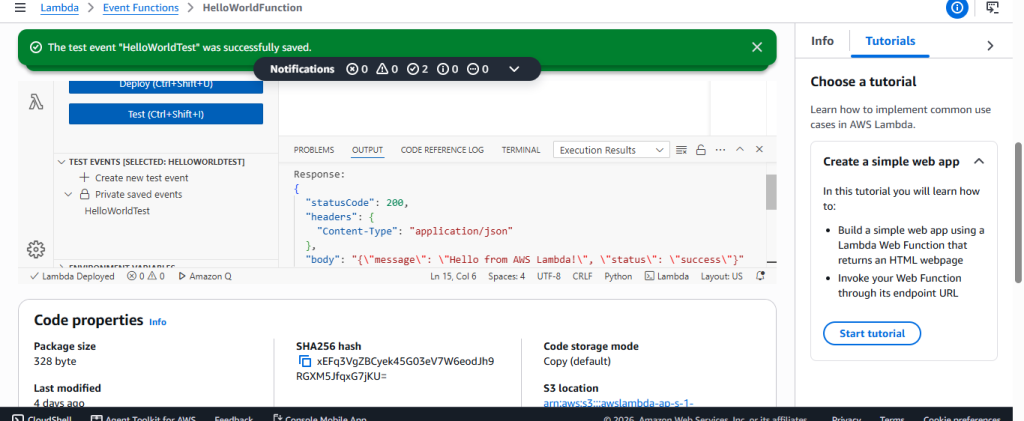
- Select Deploy to save the updated code.
- Open the Test tab.
- Select Test.
A successful execution should display a response containing a “statusCode” of “200” and the message “Hello from AWS Lambda”.
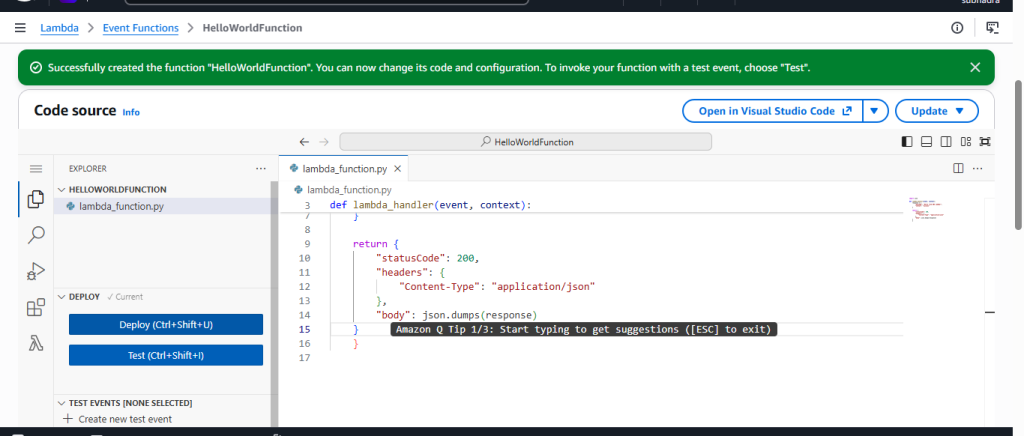
Expected result: The AWS Lambda function executes successfully when tested directly.
Step 2: Create an HTTP API in Amazon API Gateway

After verifying the Lambda function, create an API that clients can access through an HTTP endpoint.
- Select the option to create an API.
- Find HTTP API and select Build.
- Enter a suitable API name, such as “HelloWorldAPI”.
- Continue to the integration configuration.
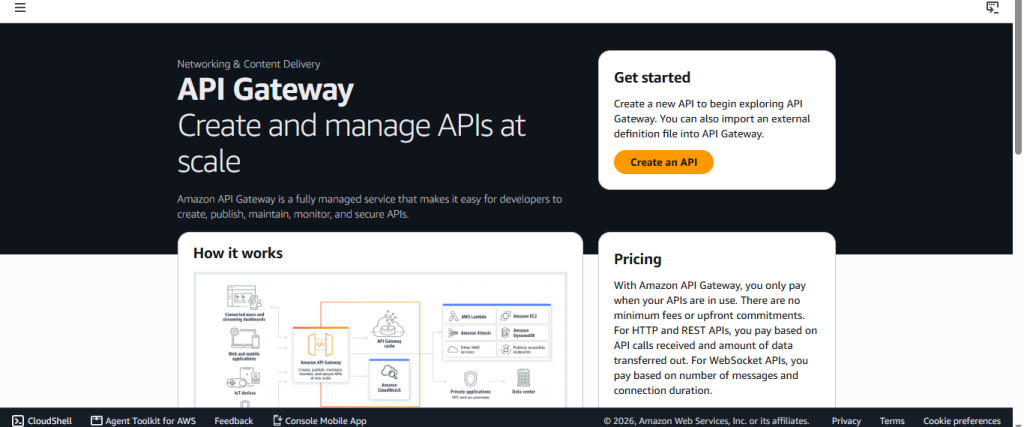
The exact labels and page layout may vary slightly depending on the current AWS console interface.
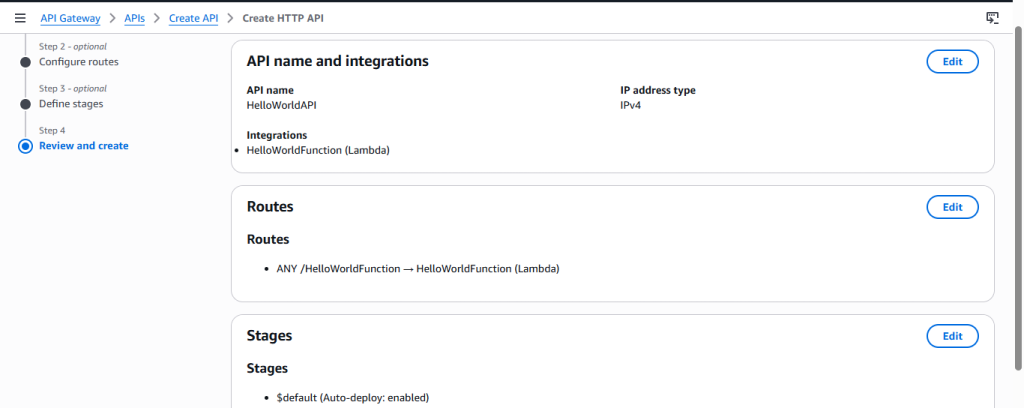
Step 3: Configure the AWS Lambda Integration
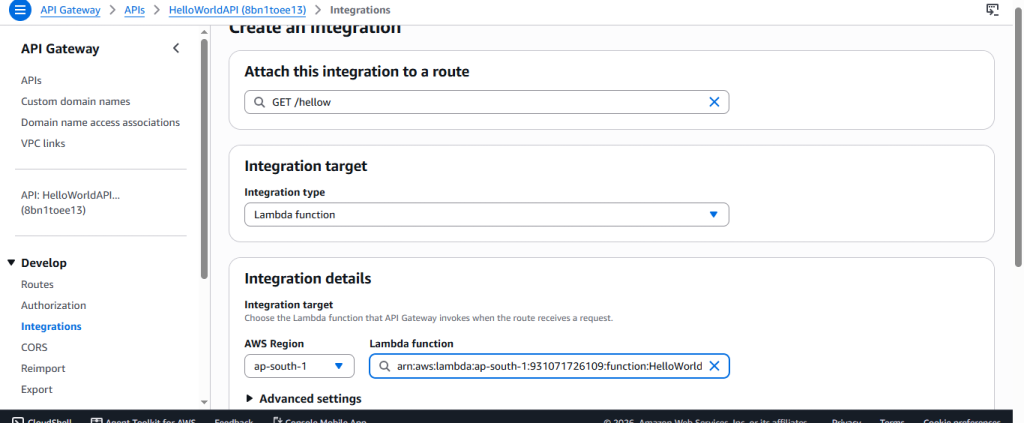
- In the integration setup, select Lambda as the integration type.
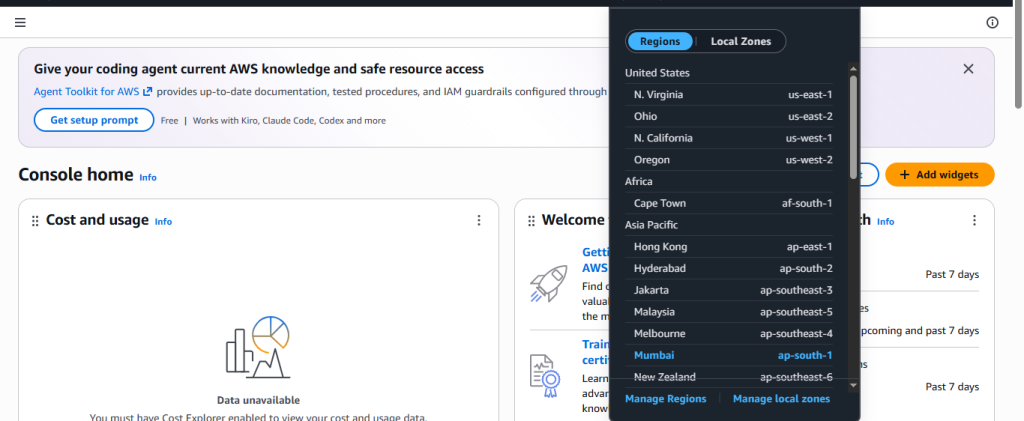
- Choose the AWS Region containing your Lambda function.
- Select “HelloWorldFunction” from the available functions.
- Confirm the integration settings.
- Continue with the API configuration.
Step 4: Configure the API Route
A route defines how API Gateway handles a particular HTTP request.
For this project, use the following configuration:
- HTTP method: GET
- Resource path: “/hello”
- Integration target: “HelloWorldFunction”
Follow these steps:
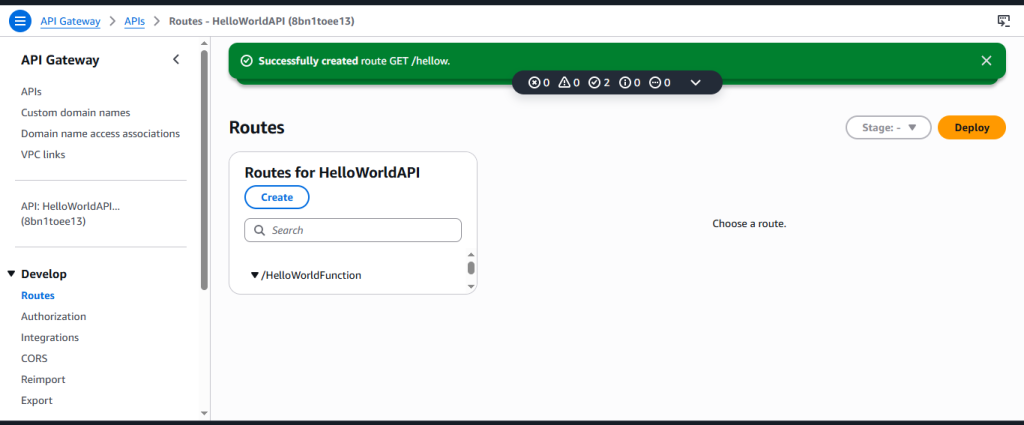
- Add a route with the GET method.
- Enter “/hello” as the route path.
- Select the Lambda integration associated with “HelloWorldFunction”.
- Save the route configuration.
The route should point to the correct Lambda integration. If the route exists but is connected to the wrong function, the endpoint will not return the expected result.
Expected result: The API contains a GET route for “/hello”, and that route is associated with the Lambda function.
Step 5: Configure the API Stage and Deployment
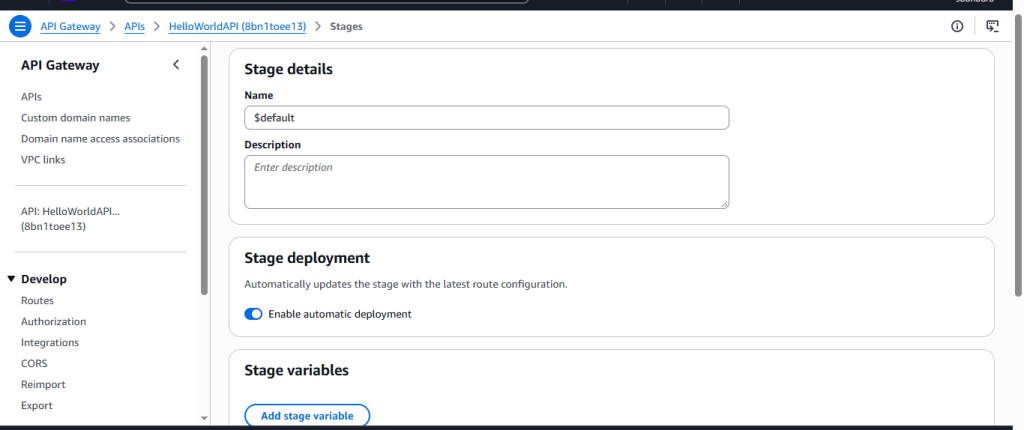
An API stage represents a named deployment of an API configuration.
Depending on the creation workflow, API Gateway may create a default stage or allow you to configure one during setup.
- Open the API’s stage or deployment settings.
- Check whether a stage already exists.
- Save the configuration.
See URL
For example, the endpoint follows this general pattern:
“https://api-id.execute-api.region.amazonaws.com/hello“
The actual URL contains the API identifier and AWS Region assigned to your API.
Step 6: Test the API Gateway Endpoint
Test the endpoint using web browser.
- Open the API Gateway console.
- Select your API.
- Locate its Invoke URL.
- Copy the URL.
- Add “/hello” at last.
- Open a new browser tab.
- In web browser paste it.
- Press Enter.
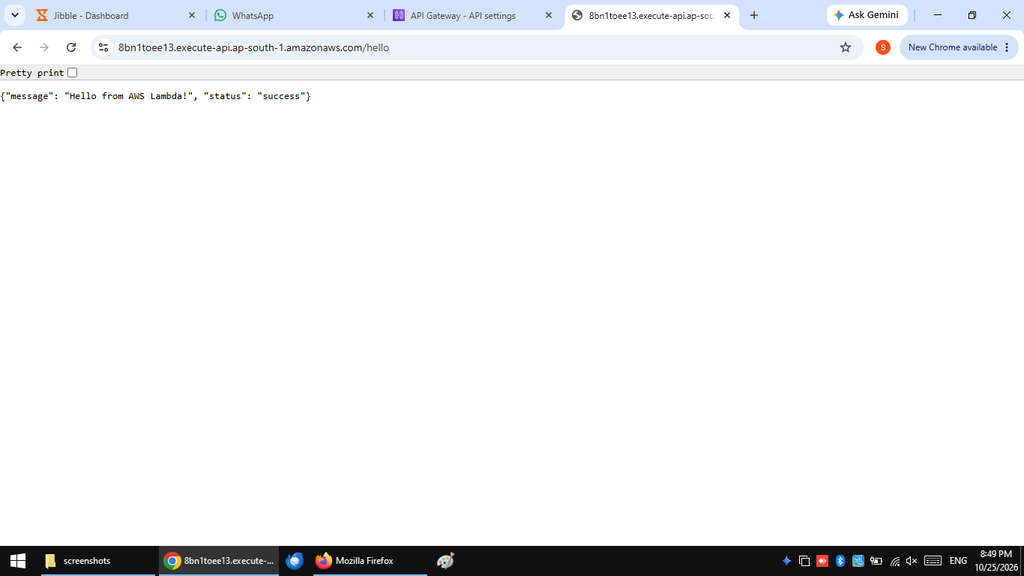
“Hello from AWS Lambda”
Expected result: The browser displays the message returned by the Lambda function instead of an error.
Step 7: Verify the Complete Workflow
Testing Lambda and testing API Gateway are two different checks.
Use the following checklist:
- Confirm that “HelloWorldFunction” exists.
- Verify that the Lambda test returns status code “200”.
- Confirm that the GET “/hello” route exists.
- Check that the route points to “HelloWorldFunction”.
- Verify that the API has a valid stage or deployment.
- Open the correct Invoke URL with the “/hello” path.
- Confirm that the endpoint displays “Hello from AWS Lambda”.
Common Errors and Troubleshooting
The Browser Displays “Not Found”
A not-found response can occur when the requested route does not match the configured route.
Solution:
Verify the HTTP method and path. For this project, use GET and “/hello”.
The API URL Does Not Work After Configuration Changes
Changes to an API may not become available to clients until they are deployed, depending on the deployment settings.
Solution:
Check whether automatic deployment is enabled.
The API Signature or Request Appears Invalid
Console errors or request problems can sometimes arise from an incorrect URL, a stale request, or configuration issues.
Solution:
Copy the current Invoke URL from the API Gateway console. Verify the route path and stage, then retry the request.
Step 8: Monitor Lambda Execution Using CloudWatch
Amazon CloudWatch helps you inspect Lambda execution logs and troubleshoot runtime problems.
Lambda commonly sends function logs to a CloudWatch log group named using this pattern:
“/aws/lambda/HelloWorldFunction”
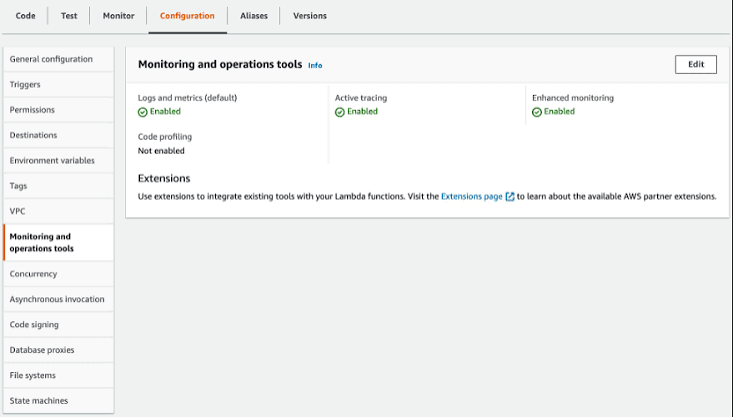
To inspect the logs:
- Open the Amazon CloudWatch service.
- Navigate to Logs and then Log groups.
- Find the log group associated with your Lambda function.
- Open the latest log stream.
- Review the execution messages and any error details.
Logging availability depends on the function’s execution-role permissions and configuration.
Best Practices for API Gateway and Lambda
Follow these recommendations when developing serverless APIs:
- Use least-privilege permissions: Grant only the permissions required by the function and API integration.
- Validate incoming requests: Check request data before processing it.
- Handle errors carefully: Return appropriate HTTP status codes and avoid exposing internal details.
- Keep sensitive data private: Never expose credentials or confidential information in source code, logs, or screenshots.
Conclusion
API Gateway receives HTTP requests, routes them to a Lambda function, and returns the function’s response to the client.
In this practical project, a Lambda function named “HelloWorldFunction” returned the message “Hello from AWS Lambda.” A GET “/hello” route was configured in API Gateway to invoke that function, and the endpoint was tested successfully in a browser.
These skills provide a useful foundation for building more advanced serverless applications.
Frequently Asked Questions (FAQs)
1. What is the purpose of API Gateway in AWS?
API Gateway provides an HTTP entry point for applications and routes incoming requests to a configured backend, such as a Lambda function.
2.Why is AWS Lambda called a serverless service?
Lambda is called serverless because AWS manages the underlying compute infrastructure. Users focus on writing and deploying functions rather than maintaining servers.
3. Can API Gateway invoke a Lambda function?
Yes. API Gateway can be configured with a Lambda integration so that incoming requests invoke the selected function.
4. What does HTTP status code 200 mean?
HTTP status code 200 indicates that the request was successful. In this project, the Lambda response uses status code 200 to indicate successful execution.
5.Why might API Gateway return an Internal Server Error?
The error may be caused by a backend exception, an invalid Lambda response, an integration issue, or another configuration problem. Check the Lambda execution logs and API integration settings to identify the cause.
6. What is an API route?
An API route combines an HTTP method and a resource path, such as GET “/hello”.
7. What is an API stage?
A stage is a named deployment of an API configuration.
8. Is it necessary to use CloudWatch for this project?
CloudWatch is not required simply to open a working endpoint, but it is valuable for examining execution logs and diagnosing failures.
9. Can I delete the API Gateway API after testing?
Yes. If the API is no longer required, you can delete it after saving your screenshots and documentation. Check for related resources separately.
10. Is API Gateway and Lambda integration suitable for beginners?
Yes. A simple HTTP endpoint connected to a Lambda function is a useful beginner project for learning serverless architecture, HTTP routing, integration testing, monitoring, and troubleshooting.
Table of Contents
Discover more from Root Learning
Subscribe to get the latest posts sent to your email.