Let us know about Kali Linux Operating System, what is Kali Linux OS, why Kali Linux is important for cybersecurity, Install Kali Linux on VMware: A step-by-step guide, Is Kali Linux a good choice in 2026? and Conclusion.
Table of Contents
What is Kali Linux Operating System?
Kali Linux Operating System is a specialized, open‑source Linux distribution built for cybersecurity, penetration testing, and ethical hacking. It is based on Debian and maintained by Offensive Security, a company known for its training and certifications in information security.
Usage of Kali Linux OS:
- Safe environment for ethical hacking and security research.
- Saves time with ready‑to‑use tools.
- Strong community support and documentation.
- Works seamlessly in virtual machines like VMware, making it ideal for testing without affecting your main operating system.
Why Kali Linux is important for Cybersecurity?
Kali Linux is important for Cybersecurity:
- Purpose: Designed for security professionals to test systems, networks, and applications.
- Pre‑installed Tools: Comes with 600+ tools for tasks like vulnerability scanning, password cracking, digital forensics, and wireless network testing.
- Platforms: Runs on desktops, laptops, servers, virtual machines (VMware, VirtualBox), cloud environments, and even mobile devices (via Kali Net Hunter).
- Rolling Release: Always updated with the latest tools and patches.
- Customization: Users can build custom Kali images with only the tools they need.
Install Kali Linux on VMware: A step-by-step guide
The guide to install Kali Linux on VMware: Step-by-step Kali Linux installation guide 2026:
Before installation, please remember if you are using VMware Workstation or Virtual Box, Hyper-V or QEMU.
The Kali Linux ISO file link: Get Kali | Kali Linux
Step 1:
Open your web browser and search for “Kali Linux OS” and click on main website which provided in above requirements. And click on download.
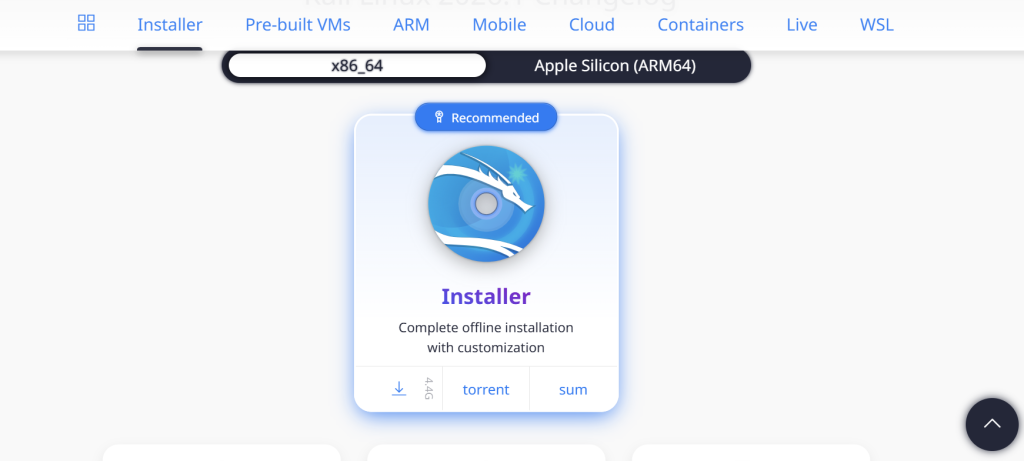
Step 2:
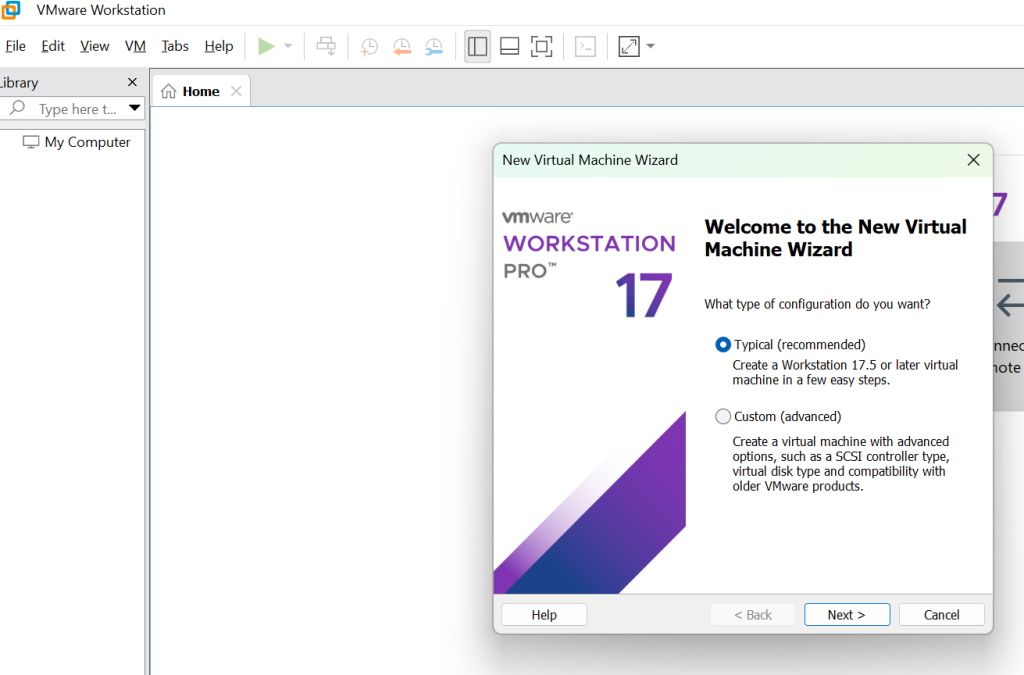
To install Kali Linux on VMware, click on Create a new virtual machine in your VMware Workstation and then click on Next button.
Step 3:
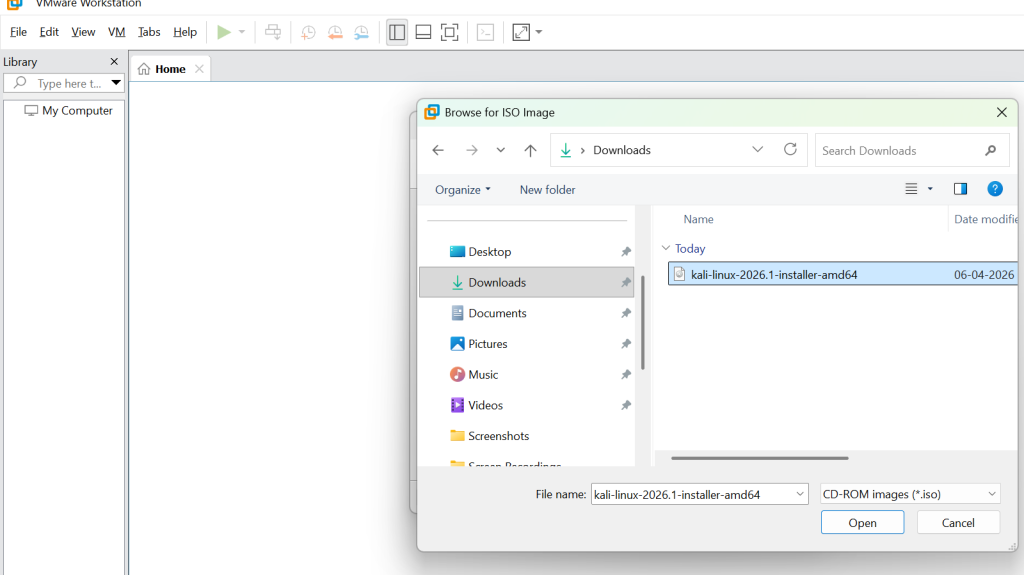
After this process click Installer Disc Image ISO file and choose Kali Linux ISO file from your Main System.
Step 4:
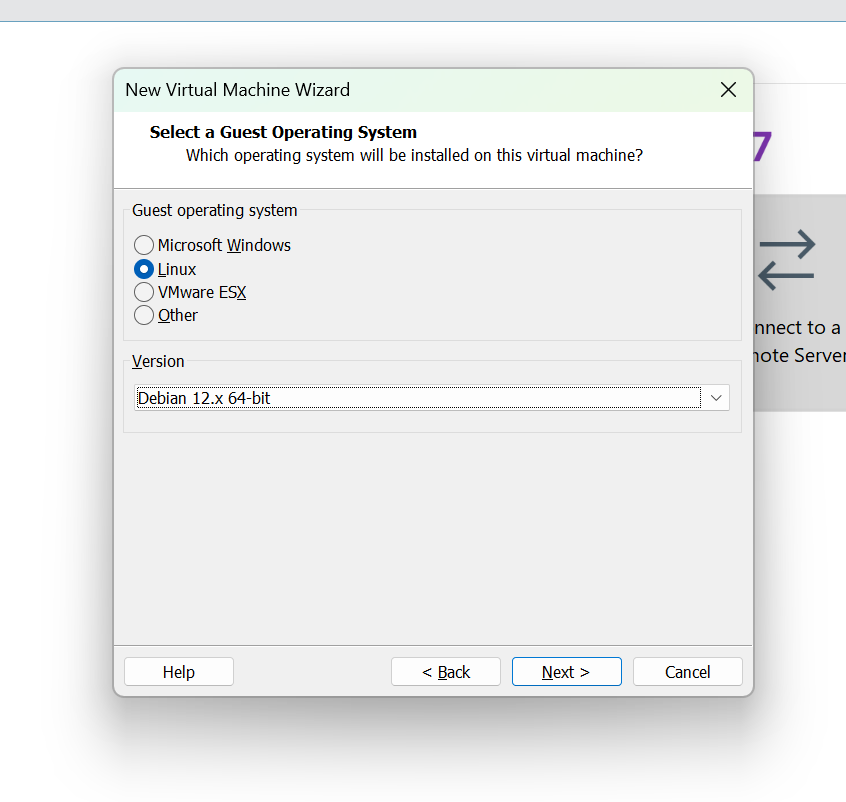
After selecting click on Next and select the OS as Linux and then select the latest version of Debian and click on Next.
Step 5:
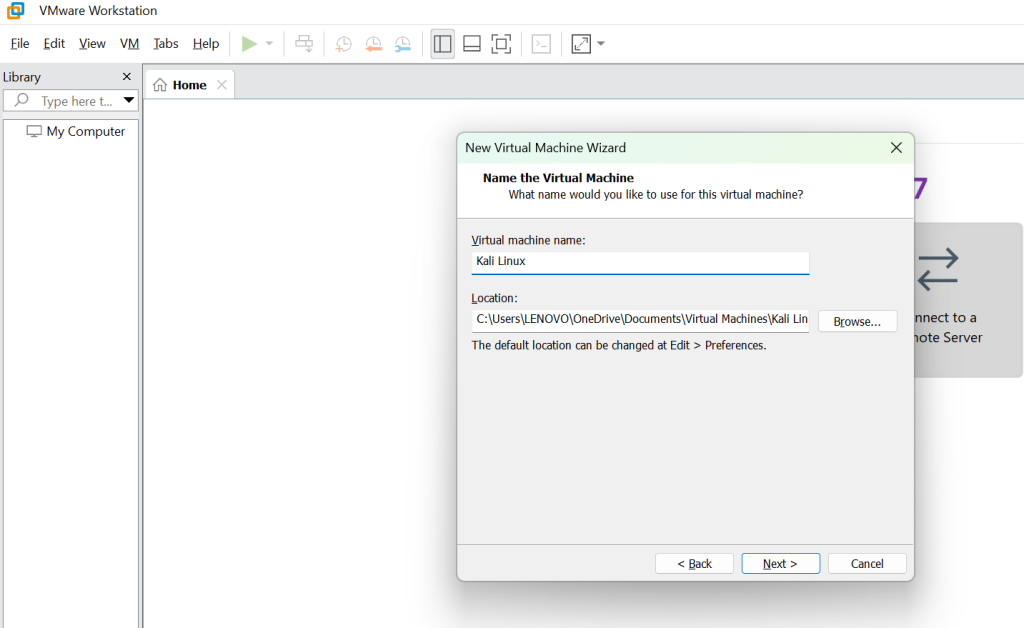
Rename the virtual machine name as per your wish. Right now, I named as Kali Linux and then click on Next.
Step 6:
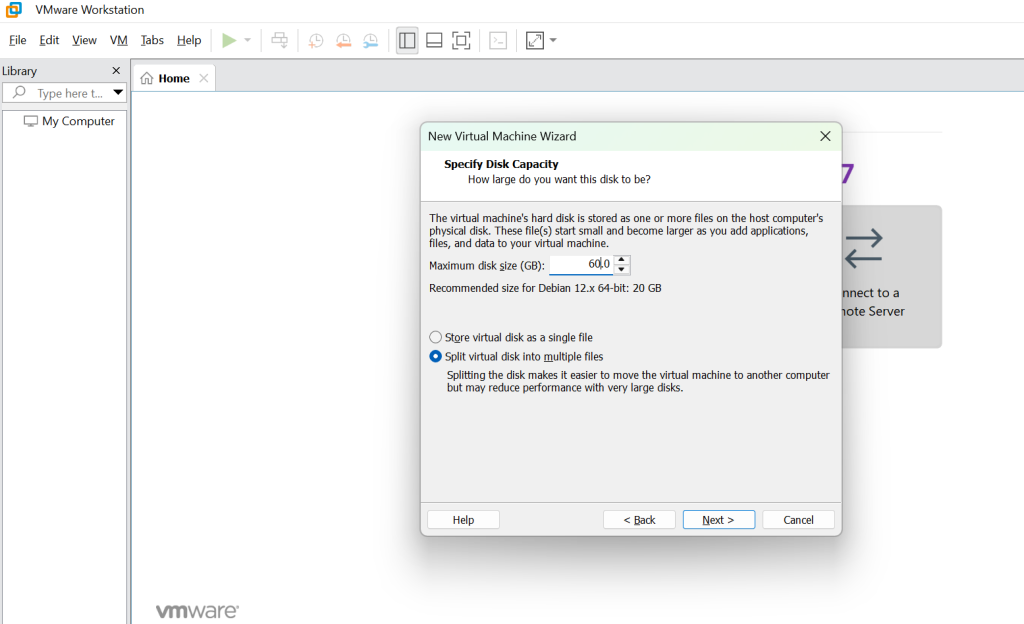
Now, for the disk space, usually Kali Linux needs minimum of 50 GB space, if you have the required space, you can make it to 100 GB, here I entered 60GB, and below that click on Spilt virtual disk into multiple files and then click on next.
Step 7:
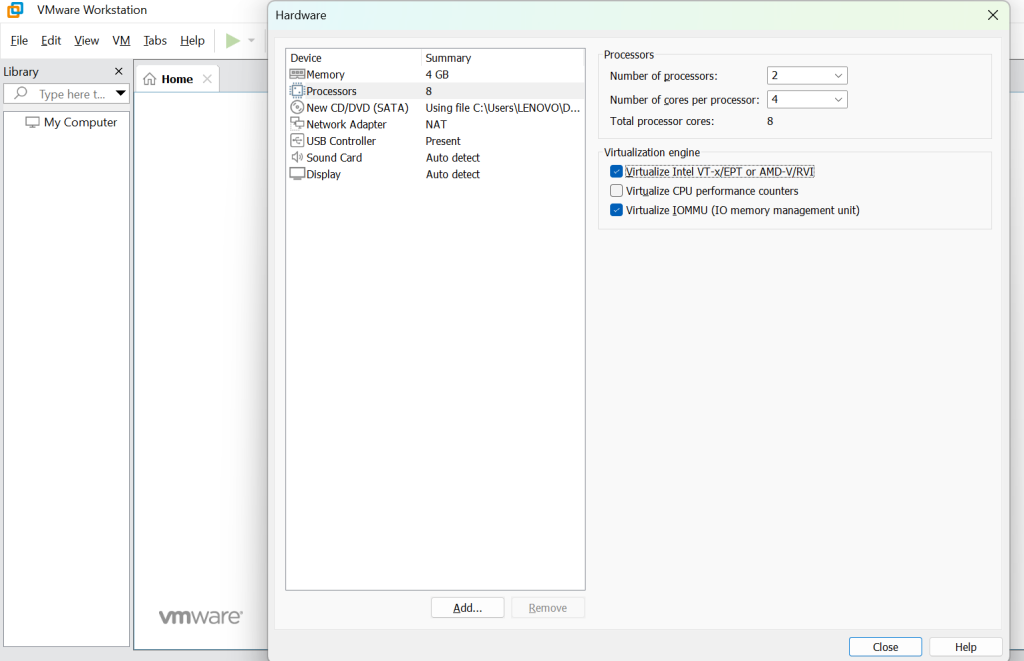
Before clicking Finish, make sure to click on Customized Hardware and select the memory RAM to 4GB or more depending on the system and under processor select the core processor to 4 depending on the CPU.
Step 8:
Make sure to check box in Virtualization engine. Check box in Virtualize Intel VT-x/EPT or AMD-V/RVI and Virtualize IOMMU for your CPU better performance. PS: if your system does not support VT-x/EPT or AMD-V/RVI, then do not click on the check box.
Step 9:
Once done click on Close and click Finish. After that now we can see Kali Linux on VMware workstation.
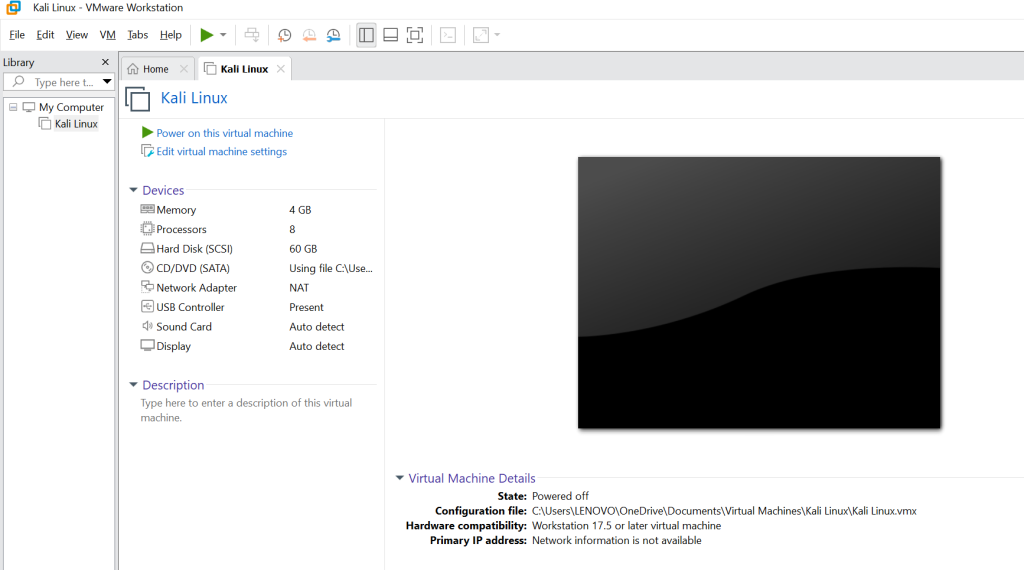
Step 10:
Click on Kali Linux and you will get a screen Click on Graphics install and select your language and country and press Continue.
Step 11:
After that it will ask about the domain name, username and password, after filling up press Continue for all the details, after that it will ask your time zone press Continue.
Step 12:
After this it will ask you about the disk partition, select the first option, press continue, the summary of the partition will be visible then select finish partition and press continue, and after this select YES to confirm the partition of the disc and press continue.
Step 13:
After the following test, it will ask for GIRUB Bootloader, select your default location and press continue.
Step 14:
Congratulations, now the install Kali Linux on VMware is successful. For Login use your given username and password.
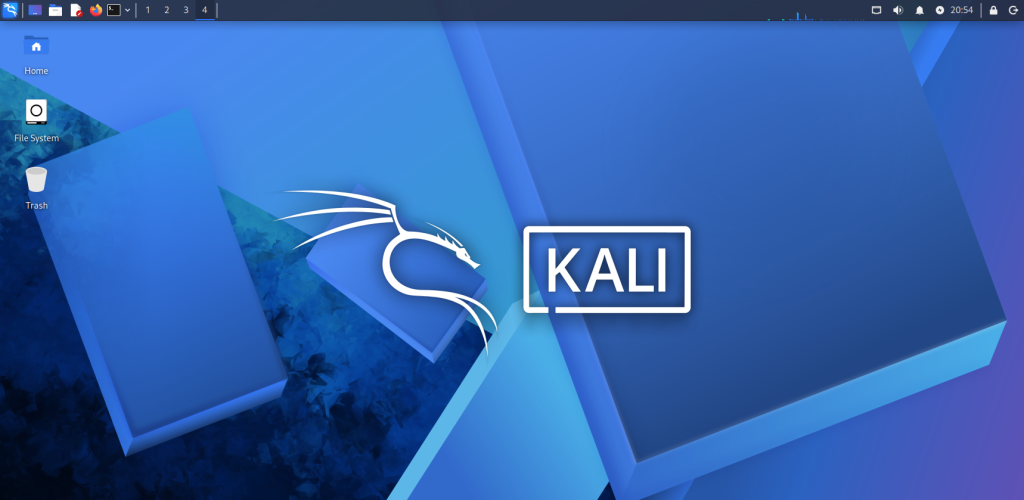
This is the step-by-step Kali Linux installation guide 2026.
Is install Kali Linux on VMware a good choice in 2026?
In 2026, it is still a good choice to install Kali Linux OS on VMware. There are following reasons why it is still a good choice:
1. Stability & Safety
- Avoids hardware conflicts: Installing Kali directly on bare metal often causes Wi-Fi, battery, or driver issues. VMware isolates Kali from your host OS.
- Snapshots & rollback: You can test malware or exploit tools and instantly restore your system if something breaks.
2. Flexibility
- Run multiple OS side-by-side: Keep your main OS (Windows, macOS, or Linux) for daily work while using Kali only when needed.
- Cross-platform support: VMware works on most modern hardware, including Intel and AMD processors, and supports ARM-based devices with adjustments.
3. Ideal for Cybersecurity Training
- Perfect for labs & CTFs: VMware allows isolated environments for Capture the Flag competitions, malware analysis, and penetration testing practice.
- Safe networking modes: You can configure bridged, NAT, or host-only networking to simulate real-world attack scenarios.
Conclusion
Install Kali Linux on VMware in 2026 remains one of the smartest and most practical approaches for cybersecurity learners, professionals, and researchers. VMware provides a safe, flexible, and controlled environment that allows you to explore Kali’s powerful penetration testing tools without risking your primary operating system.
If your goal is to learn, experiment, and strengthen cybersecurity skills without compromising your main system, install Kali Linux on VMware is the definitive choice in 2026.
FAQs
Why should I install Kali Linux on VMware instead of directly on hardware?
VMware provides a safe, isolated environment with snapshot and rollback features, making it ideal for testing penetration tools without risking your main OS.
Is VMware still a good choice in 2026 for running Kali Linux?
Yes, VMware remains stable, widely supported, and flexible across Windows, macOS, and Linux hosts, making it one of the best virtualization platforms for Kali Linux.
Can I use Kali Linux on VMware for Wi-Fi penetration testing?
Yes, but you may need an external USB Wi-Fi adapter with passthrough support, as VMware’s virtual adapters don’t fully support advanced wireless attacks.
Is installing Kali Linux on VMware safe for beginners?
Yes, VMware isolates Kali from your host OS, so beginners can experiment without damaging their main system.
Do I need a powerful computer to run Kali Linux on VMware?
Not necessarily. A mid-range system with at least 8GB RAM and a modern CPU is sufficient for most tasks. Heavy penetration testing labs may require more resources.
Can I use VMware snapshots with Kali Linux?
Yes. Snapshots allow you to save your system state and roll back instantly if something goes wrong during testing.
Is Kali Linux on VMware suitable for professional cybersecurity work?
Yes. Many professionals use VMware for labs, training, and penetration testing because it balances safety, flexibility, and performance.
Discover more from Root Learning
Subscribe to get the latest posts sent to your email.